

Introduction: Learning From Mistakes You Haven’t Made Yet
In this post we look at the common youtube affiliate marketing mistakes most beginners make.
This cluster has walked through setting up your channel, choosing the right video formats, planning your first 90 days, optimising for search, placing your affiliate links, building a faceless channel, and connecting YouTube with your blog.
This final article closes the cluster out by covering the mistakes that undo good work in each of those areas.
Every one of these mistakes is avoidable, and most of them are made not out of carelessness but simply because nobody flagged them in advance.
Reading through this list before you run into these problems yourself is considerably less painful than learning them the hard way.
Key Takeaways
- Copyright issues, particularly around background music, are one of the most common and most avoidable beginner mistakes
- Overloading a single video with too many affiliate links reduces conversions rather than increasing them
- Publishing inconsistently damages both algorithmic trust and audience trust simultaneously
- Skipping disclosure, or burying it where viewers won’t see it, creates both compliance and trust problems
- Treating YouTube as a standalone project rather than connecting it to your blog leaves real growth on the table
Mistake #1: Using Copyrighted Music Without Checking Rights
This is one of the most common — and most easily avoided — mistakes beginners make.
Adding a popular song to a video without permission can trigger a Content ID claim, which typically prevents you from monetising that specific video, even if the music plays for only a few seconds in the background.
It’s worth understanding the distinction here, because beginners often conflate two different things.
A Content ID claim is not the same as a copyright strike — a claim usually just affects monetisation on that one video, while a strike is a more serious consequence tied to a formal legal removal request, and enough strikes can result in your channel being terminated entirely.
Both are avoidable with the same simple habit.
The Fix: Use YouTube’s own Audio Library, which offers a wide selection of tracks cleared for use on the platform, or a royalty-free music service that explicitly grants monetisation rights on YouTube.
Read the terms of any music source carefully — some royalty-free licenses do not actually extend to platforms like YouTube, which can still result in a claim even though you paid for the track.
Mistake #2: Overloading a Single Video With Too Many Affiliate Links
It is tempting, once you understand how affiliate links work, to link every tool you have ever used in every video description.
This backfires.
A description crowded with ten or more links reads as promotional rather than helpful, and it dilutes viewer attention away from the one link most relevant to what they just watched.
The Fix: As covered in the link placement guide earlier in this cluster, keep each video focused on the one or two links genuinely central to that video’s topic, and direct viewers wanting your full recommended stack to a dedicated page like Tools and Resources instead.
Mistake #3: Publishing Inconsistently
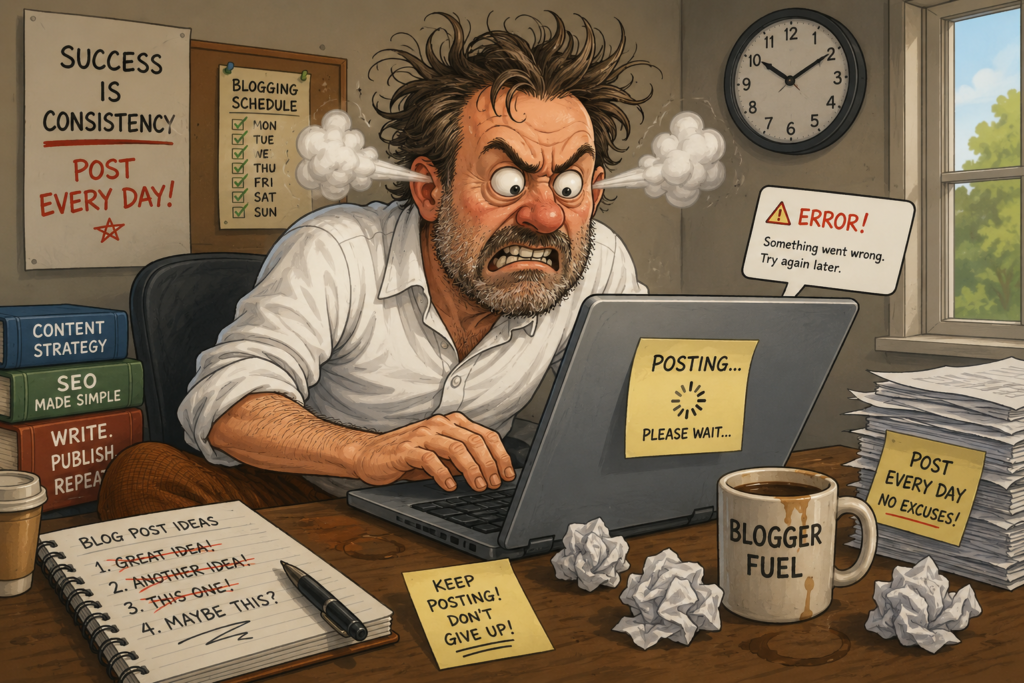
A channel that uploads four videos in one enthusiastic week and then goes quiet for a month sends a confusing signal to both viewers and YouTube’s recommendation system.
Viewers who subscribed based on an early burst of content lose the habit of checking back, and the algorithm has less reason to keep testing an unpredictable channel with new audiences.
The Fix: As outlined in the 90-day content plan, a slower, sustainable, predictable schedule consistently outperforms an ambitious but erratic one.
If weekly uploads are not realistic, publish every ten or fourteen days instead — the specific interval matters far less than sticking to it.
Mistake #4: Skipping or Burying Affiliate Disclosure

DISCLAIMER: Within this article, you may come across affiliate links or even banner ads where if clicked and acted upon, I may earn a commission. This is of no extra cost to you reading my article but in the spirit of transparency I needed to let you know. This helps me with the upkeep of what I do here at YourDigitalBreakthrough and I thank you for your support. Thanks.
Some beginners skip disclosure altogether, assuming it is optional or that nobody checks.
Others technically include it but bury it at the very bottom of a long description where no viewer will ever scroll far enough to see it.
Both approaches create the same two problems: a compliance risk, and a trust risk if viewers feel misled after the fact.
The Fix: Place your disclosure near your links, not at the bottom of the description, and mention the affiliate relationship briefly within the video itself.
This is not just a legal safeguard — clear disclosure has been shown to build viewer trust rather than undermine it, because it reads as honesty rather than concealment.
Mistake #5: Treating YouTube as a Completely Separate Project From the Blog
Beginners sometimes build a YouTube channel in isolation, with no links back to their blog, no shared branding, and no cross-promotion in either direction.
This leaves real, compounding growth on the table, since a visitor who discovers you on one platform has no easy path to the other.
The Fix: As covered in YouTube and Blogging Together, link consistently between platforms, embed relevant videos in blog posts, and keep your visual branding and tone recognisable across both — turning two separate audiences into one connected one.
Mistake #6: Chasing Every Trend Instead of Staying on Niche
It is tempting, especially early on, to chase whatever topic is currently trending on YouTube regardless of whether it fits your niche.
A trending video can bring a short-term view spike, but it usually attracts the wrong audience — viewers with no genuine interest in your actual niche rarely convert into subscribers or affiliate clicks.
The Fix: Stay disciplined around the niche you defined when setting up your channel.
A smaller, genuinely interested audience converts at a far higher rate than a large but mismatched one.
Mistake #7: Ignoring Watch Time in Favour of Chasing Views
Views are the most visible metric on a channel dashboard, which makes them easy to over-focus on.
But watch time — how long viewers actually stay engaged — is a stronger signal to YouTube’s algorithm than the raw view count alone.
The Fix: Structure videos so the most valuable information appears early, keep pacing tight, and always deliver fully on what your title and thumbnail promised.
A smaller channel with strong watch time frequently outperforms a larger channel with high views but poor retention.
Mistake #8: Comparing Your Early Numbers to Established Channels
It’s easy, especially in the first few months, to measure your channel’s progress against creators who have been publishing for years.
This comparison is rarely fair and often discouraging enough to cause beginners to quit right around the point where consistent effort would start compounding.
The Fix: Track your own channel’s progress against its own earlier numbers rather than against unrelated, established channels.
A steady month-over-month improvement in watch time, subscribers, or affiliate clicks is a far more meaningful signal of whether your strategy is working than any single comparison to a channel with a multi-year head start.
A Final Word: Mistakes Are Part of the Process
None of the mistakes above are signs that a channel is failing — they are simply the common, well-documented bumps nearly every beginner channel encounters at some point.
The advantage of reading this list now is catching most of them before they happen, rather than after.
If you have been following this cluster from the start — from channel setup through to this final article — you already have a stronger foundation than most beginner channels start with.
The remaining work is simply consistency, patience, and the kind of genuine, useful content this entire cluster has been built around.
Further Reading
For the official, authoritative explanation of copyright strikes and Content ID claims — the single most common mistake covered above — see YouTube’s own Help Centre:
Copyright strike basics — YouTube Help
FAQ
Q: What is the difference between a Content ID claim and a copyright strike?
A: A Content ID claim typically only affects monetisation on the specific video involved and does not itself harm your channel standing.
A copyright strike is more serious, tied to a formal legal removal request, and enough strikes within a 90-day period can result in your channel being terminated.
Q: How many affiliate links should I include in a single video description?
A: One or two links genuinely central to that video’s topic is generally more effective than a long list, since a focused description converts better than one that reads as promotional.
Q: Is it really necessary to disclose affiliate links verbally, not just in the description?
A: Yes. A written disclosure near your links in the description, combined with a brief verbal mention in the video, is standard practice and reinforces the transparency that keeps viewer trust intact.
Q: Should I ever deviate from my niche to chase a trending topic?
A: Generally, no.
Trending content outside your niche tends to attract viewers unlikely to convert into subscribers or affiliate clicks, which can dilute your channel’s focus without meaningfully growing your genuine audience.
Q: What is the single most avoidable mistake on this list?
A: Using copyrighted music without checking its licensing terms. This is entirely preventable using free, cleared sources like YouTube’s own Audio Library, yet it remains one of the most common issues beginner channels run into.
You’ve now completed the full YouTube for New Affiliate Marketers series. Explore the tools referenced throughout on our Tools and Resources page, or revisit The Breakthrough Shift for the bigger picture on building a connected content business.
Here is the full list of the articles making up the cluster should you believe or are unsure if you might have missed any. This has been article #8.
1.How to Set Up a YouTube Channel for Affiliate Marketing (Beginner’s Setup Guide)
2.Best YouTube Video Types for Affiliate Marketers (Reviews, Tutorials, Comparisons)
3.Your First 90 Days on YouTube: A Beginner’s Content Plan for Affiliate Marketers
4.YouTube SEO for Beginners: How to Get Your Videos Found in 2026
5.How to Place Affiliate Links on YouTube (Description, Pinned Comments, End Screens)
6.How to Start a Faceless YouTube Channel for Affiliate Marketing (No Camera Needed)
7.YouTube and Blogging Together: How to Build a Two-Platform Affiliate Strategy
8.Common YouTube Affiliate Marketing Mistakes Beginners Make (And How to Avoid Them)