
Introduction: The New Speed of Innovation
AI product development with the key word being speed is the name of the game these days in this ai driven environment.
Remember when launching a product took 12-18 months? Market research, prototyping, testing, iteration—each phase eating months from your calendar while competitors moved faster and opportunities slipped away.
In 2025, AI has fundamentally changed the game. Companies using AI in their product development process are launching 40-60% faster than traditional methods.
They’re testing more ideas, failing faster (and cheaper), and getting to market before the window closes.
But here’s what most entrepreneurs get wrong: AI doesn’t replace your product development process—it amplifies it.
Think of AI as your tireless co-founder who works 24/7, never needs coffee breaks, and can simultaneously handle market research, competitive analysis, prototype testing, and customer feedback analysis.
The question isn’t whether you should use AI in product development—it’s how to integrate it without losing the human creativity and insight that makes products truly valuable.
In this guide, you’ll learn:
- How to use AI at every stage from ideation to launch
- Specific tools and workflows that cut development time in half
- Real case studies of products launched using AI acceleration
- Critical mistakes that waste time and money
- How to maintain quality while moving faster
Whether you’re launching a SaaS product, physical goods, or digital services, AI can dramatically compress your timeline.
Let’s explore exactly how.
Part 1: Understanding AI’s Role in Modern Product Development
The Traditional Product Development Timeline (And Why It’s Broken)
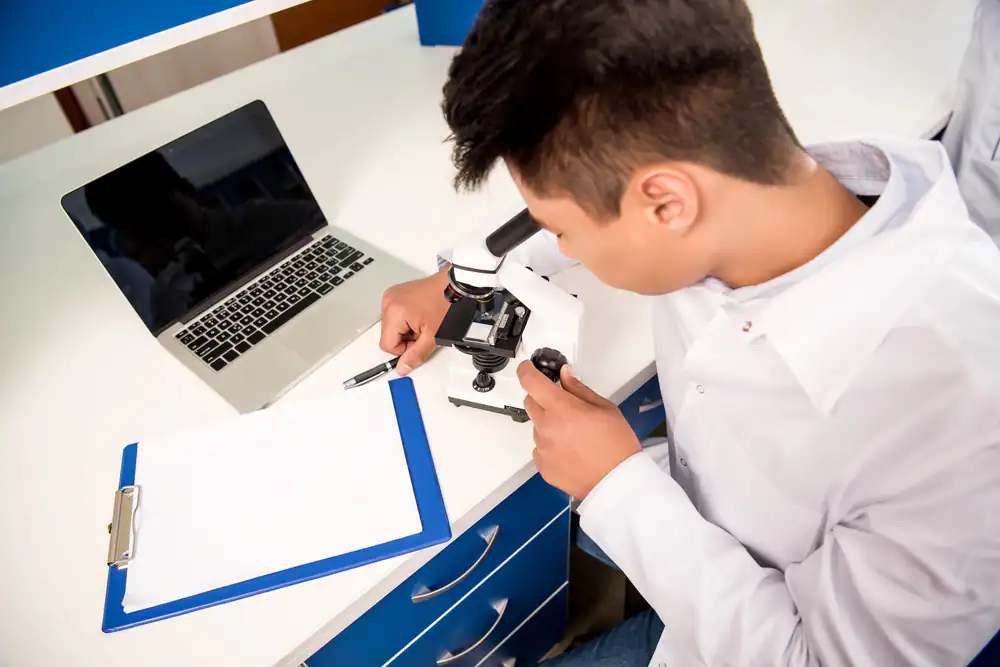
The conventional product development process typically looks like this:
Traditional Timeline: 12-18 Months
- Idea Generation & Validation (2-3 months)
- Market Research (1-2 months)
- Competitive Analysis (1 month)
- Product Design & Specification (2-3 months)
- Prototyping (2-4 months)
- Testing & Iteration (2-3 months)
- Launch Preparation (1-2 months)
The problem? By the time you launch, the market has shifted, competitors have moved, and your “innovative” solution is already playing catch-up.
The AI-Accelerated Timeline: 6-8 Months
Here’s what happens when you strategically deploy AI: AI-Enhanced Timeline: 6-8 Months
- AI-Powered Idea Generation & Validation (2-3 weeks)
- Automated Market Research & Analysis (1-2 weeks)
- AI-Driven Competitive Intelligence (3-5 days)
- Collaborative AI Product Design (3-4 weeks)
- Rapid AI-Assisted Prototyping (4-6 weeks)
- AI-Enhanced Testing & Iteration (4-6 weeks)
- Launch Preparation with AI Tools (2-3 weeks)
That’s a 50-67% reduction in time-to-market. But it’s not just about speed—AI enables you to:
- Test more variations (10x more concepts evaluated)
- Gather deeper insights (analyze 1000x more data points)
- Make better decisions (data-driven rather than gut-feel)
- Reduce costly mistakes (catch issues before expensive production)
- Scale your efforts (one person can do the work of a team)
What AI Can (And Can’t) Do in Product Development
AI Excels At:
- Pattern recognition in market data
- Rapid competitive analysis
- Design variation generation
- User feedback synthesis
- Technical documentation
- Code generation and testing
- Market trend prediction
- Customer persona development
- Feature prioritization analysis
- Risk assessment
AI Still Needs Humans For:
- Strategic vision and direction
- Understanding nuanced customer emotions
- Making final judgment calls on brand fit
- Building genuine relationships with stakeholders
- Navigating complex ethical considerations
- Creating breakthrough innovations (not just iterations)
- Understanding cultural context and sensitivity
The magic happens when you combine AI’s computational power with human creativity and judgment.
Part 2: Stage 1 – AI-Powered Ideation and Validation
Using AI to Generate Better Product Ideas
The ideation phase traditionally involves whiteboards, brainstorming sessions, and a lot of “what ifs.” AI supercharges this process by analyzing millions of data points to surface opportunities you’d never discover manually.
Tool: ChatGPT/Claude for Structured Brainstorming
Prompt Framework for Product Ideation:
I'm exploring product opportunities in [INDUSTRY]. Help me identify:

1. Emerging problems that current solutions don't address well
2. Underserved customer segments with specific pain points
3. Technology trends that enable new solution approaches
4. Business models that are working in adjacent industries
5. Gaps in the current competitive landscape

Context about my strengths: [YOUR EXPERTISE]
Budget range: [YOUR RANGE]
Target market: [YOUR MARKET]
Pro Tip: Run this prompt 3-5 times with slight variations. AI’s responses vary, and diversity in the ideation phase leads to better outcomes.
Tool: Perplexity AI for Market Opportunity Research
While ChatGPT and Claude work from their training data, Perplexity searches the current web and synthesizes findings. Use it to validate demand: Validation Research Prompts:
- “What are the top 10 complaints about [COMPETITOR PRODUCT] on Reddit, Twitter, and product review sites?”
- “Show me search volume trends for [PRODUCT CATEGORY] over the past 24 months”
- “What adjacent products are gaining traction in [YOUR INDUSTRY]?”
- “Identify 5 successful products launched in the past 12 months in [CATEGORY] and their key differentiators”
Tool: TrendHunter AI for Identifying Emerging Opportunities
TrendHunter’s AI analyzes global innovation patterns to identify emerging trends before they hit mainstream.
Use Case: Input your industry and desired innovation type (disruptive, adjacent, incremental) and receive:
- Trend reports with real examples
- Consumer insight data
- Innovation opportunities scored by potential
- Timing indicators (early, emerging, mainstream)
Rapid Idea Validation with AI
Before investing months in development, validate demand using AI-powered tools:
Google Trends + AI Analysis
- Export trend data for your product category
- Use Claude or ChatGPT to analyze:
Analyze this Google Trends data for [PRODUCT CATEGORY]. Identify:- Seasonal patterns- Growth trajectory- Related rising queries- Geographic opportunities- Potential demand red flags
Synthetic Customer Interviews
Use AI to simulate customer interviews before talking to real prospects: Prompt for Customer Simulation:
You are a [TARGET CUSTOMER PERSONA - be specific: e.g., "42-year-old marketing director at a B2B SaaS company with 50-200 employees"]. I'm developing [YOUR PRODUCT IDEA].

Respond as this persona would to my questions about:
- Your current pain points in [PROBLEM AREA]
- Solutions you've tried
- What would make you switch to a new solution
- Price sensitivity
- Feature priorities

Be realistic and occasionally skeptical—don't just agree with everything.
Why This Works: While not replacing real customer research, synthetic interviews help you:
- Refine your questions before real interviews
- Identify blind spots in your thinking
- Practice your pitch
- Generate hypotheses to test with actual customers
Real Example: SaaS Product Validated in 72 Hours
Case Study:
TaskFlow AI
A solo founder used AI to validate a project management tool idea:
Day 1 – Idea Generation (4 hours)
- Used Claude to analyze 50 competitor reviews
- Identified “poor team communication during handoffs” as top complaint
- Generated 15 product concepts addressing this gap
Day 2 – Market Research (6 hours)
- Used Perplexity AI to research market size ($3.2B and growing)
- Analyzed competitor positioning with ChatGPT
- Identified underserved segment: creative agencies with 10-50 employees
Day 3 – Initial Validation (5 hours)
- Created landing page copy with AI assistance
- Set up simple waitlist
- Ran small ad campaign ($200 budget)
- Result: 47 signups, 12 “willing to pay” survey responses
Total Investment: 15 hours + $200 Traditional Approach: 2-3 months + $5,000+ The founder proceeded to prototyping with validated demand, rather than building something nobody wanted.
Part 3: Stage 2 – AI-Enhanced Market and Competitive Research
Deep Competitive Analysis in Hours, Not Weeks

Traditional competitive analysis involves manually reviewing competitor websites, collecting pricing data, analyzing features, and synthesizing findings into a comparison matrix. With AI, you can automate 80% of this work.
Comprehensive Competitive Intelligence Workflow
Step 1: Automated Data Collection
Use Browse AI or Apify to scrape competitor websites for:
- Pricing information
- Feature lists
- Customer testimonials
- Blog content topics
- Job postings (reveals strategic priorities)
- Technology stack (use BuiltWith + AI analysis)
Step 2: AI Analysis and Synthesis Feed collected data into Claude or ChatGPT:
Analyze these 5 competitors in [YOUR MARKET]:

[PASTE COMPETITOR DATA]

Provide:
1. Positioning analysis - how does each differentiate?
2. Feature comparison matrix
3. Pricing strategy patterns
4. Gaps in the market - what's nobody doing well?
5. Opportunities for differentiation
6. Threats to watch for
Step 3: Automated Monitoring Set up ongoing competitive intelligence:
- Google Alerts for competitor mentions
- Feedly + AI summarization for industry news
- Social listening tools (Brandwatch, Mention) + AI analysis
- Quarterly competitive audits using the same AI workflow
Finding Your Unique Position with AI
Perceptual Mapping Exercise:
Based on this competitive analysis, help me create a perceptual map for [YOUR MARKET].

Competitors: [LIST]
Key Differentiating Dimensions: [e.g., "Price" vs "Enterprise Features", "Ease of Use" vs "Customization"]

Plot each competitor and identify:
1. Overcrowded positions to avoid
2. Open "blue ocean" positions
3. Recommended positioning for my product
4. Messaging to emphasize this position
Customer Research at Scale with AI
Analyzing Customer Sentiment Across Platforms
Tool Stack:
- Brandwatch or Hootsuite Insights: Gather social mentions
- ChatGPT/Claude: Analyze sentiment and extract themes
Workflow:
- Export 500-1000 customer comments/reviews about competitor products
- Use this prompt:
Analyze these customer reviews for [PRODUCT CATEGORY]:

[PASTE REVIEWS]

Provide:
1. Top 10 themes (frequency and sentiment)
2. Common pain points ranked by intensity
3. Unmet needs mentioned frequently
4. Language customers use (for marketing copy)
5. Price sensitivity indicators
6. Feature requests grouped by priority
Time Savings: What used to take a UX researcher 2 weeks now takes 2-3 hours.
Building Data-Driven Customer Personas
AI can help create detailed personas based on actual data rather than assumptions:
Prompt for Persona Development:
Based on this customer research data, create 3 detailed customer personas for [PRODUCT]:

[PASTE RESEARCH FINDINGS]

For each persona include:
- Demographics and background
- Goals and motivations
- Pain points and frustrations
- Current solutions and why they're inadequate
- Decision-making criteria
- Budget constraints
- Preferred communication channels
- Objections to overcome
- Ideal value proposition messaging

Make these realistic and specific, not generic.
Market Sizing with AI-Assisted Analysis
Combined Approach: TAM/SAM/SOM Calculation
Help me calculate market size for [YOUR PRODUCT]:

Total Addressable Market (TAM):
- Industry data: [YOUR DATA SOURCES]
- Related market sizes: [ADJACENT MARKETS]

Serviceable Addressable Market (SAM):
- Geographic focus: [YOUR REGIONS]
- Customer segment: [YOUR TARGETS]
- Competitive share: [MARKET DATA]

Serviceable Obtainable Market (SOM):
- Year 1-3 realistic penetration

Provide:
1. Market size calculations with methodology
2. Growth rate projections
3. Key assumptions to validate
4. Risk factors for market size
AI won’t give you perfect numbers, but it will:
- Identify relevant data sources you might miss
- Challenge unrealistic assumptions
- Help you think through calculation methodology
- Provide frameworks for different approaches
Part 4: Stage 3 – AI-Assisted Product Design and Specification
Rapid Product Requirement Documentation
Writing PRDs (Product Requirement Documents) is time-consuming but essential. AI can draft 80% of your PRD in minutes. PRD Generation Prompt:
Create a comprehensive Product Requirement Document for:

Product: [NAME AND BRIEF DESCRIPTION]
Target User: [PERSONA]
Core Problem Solved: [PROBLEM STATEMENT]
Key Differentiators: [UNIQUE VALUE]

Include:
1. Executive Summary
2. Product Vision and Objectives
3. Target Users and Personas
4. User Stories and Use Cases
5. Functional Requirements (prioritized)
6. Non-Functional Requirements
7. Technical Constraints
8. Success Metrics
9. Release Criteria
10. Out of Scope (for V1)

Format as a professional PRD with clear sections and tables where appropriate.
After AI Generation: Review, refine, and add specific technical constraints or business requirements unique to your situation.
AI-Powered UI/UX Design
Wireframing and Mockup Generation
Tool: Galileo AI
- Input: Text description of your product
- Output: High-fidelity UI designs in seconds
- Use Case: Rapidly explore different design directions
Example Flow:
- Describe your product: “A mobile app for freelancers to track time, generate invoices, and manage clients”
- Galileo generates complete UI mockups
- Iterate with refinements: “Make it more minimalist, add a dark mode option”
- Export designs for developer handoff
Tool: Figma AI
- Auto-layout suggestions
- Component generation
- Design system consistency checking
- Accessibility audits
User Flow Optimization
Prompt for User Journey Mapping:
Design the optimal user flow for [YOUR PRODUCT]:

User Goal: [e.g., "Sign up and complete first task"]
Starting Point: [e.g., "Landing page"]
Desired Outcome: [e.g., "Activated user with completed profile"]

Map out:
1. Each screen/step in the flow
2. User actions required
3. System responses
4. Decision points and branching
5. Potential friction points
6. Drop-off risk areas
7. Opportunities for delight/engagement

Optimize for: [e.g., "Speed to value, minimal cognitive load"]
Technical Architecture and Stack Decisions
AI as Your Technical Advisor:
I'm building [PRODUCT DESCRIPTION]. Help me make technical architecture decisions:

Requirements:
- User scale: [EXPECTED USERS]
- Key features: [LIST]
- Performance needs: [SPECIFIC REQUIREMENTS]
- Budget: [RANGE]
- Team size: [CURRENT TEAM]
- Timeline: [LAUNCH DATE]

Recommend:
1. Frontend framework (with pros/cons)
2. Backend technology
3. Database selection
4. Hosting platform
5. Third-party services to integrate
6. Development tools and practices
7. Potential technical risks
8. Scalability considerations

Prioritize: [e.g., "rapid development over perfect scalability for V1"]
Why This Works: AI can compare dozens of technology options based on your specific constraints faster than weeks of research.
Feature Prioritization with AI
The RICE Framework, AI-Enhanced: RICE = Reach × Impact × Confidence ÷ Effort
Help me prioritize these features using RICE scoring:

Features:
1. [FEATURE NAME AND DESCRIPTION]
2. [FEATURE NAME AND DESCRIPTION]
3. [etc.]

Context:
- Target users: [NUMBER]
- Timeline: [LAUNCH WINDOW]
- Team capacity: [DEVELOPER HOURS AVAILABLE]

For each feature, estimate:
- Reach: How many users affected (% per quarter)
- Impact: Effect on user goal (0.25=minimal, 3=massive)
- Confidence: Data quality (100%=high, 50%=low)
- Effort: Person-months required

Provide RICE scores and recommended priority order with reasoning.
Part 5: Stage 4 – AI-Accelerated Prototyping and Development
No-Code/Low-Code Development with AI Assistance
Generating Functional Prototypes Fast
Tool: Bubble + ChatGPT
- Use ChatGPT to plan your Bubble app structure
- Generate workflows and database schemas
- Troubleshoot Bubble-specific issues
Prompt Example:
I'm building [APP DESCRIPTION] in Bubble. Help me plan:

1. Database structure (tables, fields, relationships)
2. Page structure and navigation
3. Key workflows for [SPECIFIC FEATURES]
4. Privacy rules setup
5. API connections needed

Provide this in a format I can directly implement in Bubble.
Tool: Webflow + AI Design
- Use AI to generate HTML/CSS
- Convert designs to Webflow components
- Optimize for responsive design
Full-Stack Development Acceleration
For Developers: AI Pair Programming GitHub Copilot / Cursor AI / Codeium:
- Write functions from comments
- Generate tests automatically
- Debug faster with AI suggestions
- Convert pseudocode to working code
Real Example: MVP Built in 3 Weeks A developer used AI coding tools to build a SaaS MVP: Week 1: Frontend development
- AI-generated React components: 60% time savings
- Automated test creation
- Responsive design implementation
Week 2: Backend and API
- AI-written API endpoints
- Database schema generation
- Authentication implementation
Week 3: Integration and Polish
- Bug fixes with AI debugging
- Performance optimization
- Documentation generation
Total Time: 120 hours (vs. 300+ hours traditional)
AI-Powered Code Documentation
Never write documentation from scratch again:
Generate comprehensive documentation for this code:

[PASTE YOUR CODE]

Include:
1. Overview of what it does
2. Function/method documentation
3. Parameter descriptions
4. Return values
5. Usage examples
6. Common edge cases
7. Error handling notes

Format in [Markdown/JSDoc/etc.]
Testing and Quality Assurance with AI
Automated Test Generation
Prompt for Test Creation:
Generate comprehensive test cases for this feature:

Feature: [DESCRIPTION]
Expected Behavior: [DETAILS]
Edge Cases to Consider: [KNOWN ISSUES]

Provide:
1. Unit tests
2. Integration tests
3. Edge case tests
4. Performance tests
5. Security considerations

Format: [Your testing framework - Jest, PyTest, etc.]
AI Bug Detection
Tool: DeepCode / Snyk AI
- Scan code for vulnerabilities
- Suggest fixes automatically
- Learn from your codebase patterns
- Prevent common security issues
Part 6: Stage 5 – AI-Enhanced Testing and Iteration
Synthetic User Testing Before Real Users
AI-Powered Usability Prediction:
Evaluate the usability of this product flow:

[DESCRIBE OR PASTE USER FLOW]

Analyze from the perspective of:
1. A tech-savvy user
2. A non-technical user
3. A user with accessibility needs
4. A user in a hurry

Identify:
- Friction points
- Confusing elements
- Missing information
- Opportunities to improve clarity
- Accessibility issues
Not a Replacement: This doesn’t replace real user testing, but helps you catch obvious issues before expensive user sessions.
Analyzing Beta Tester Feedback at Scale
Sentiment Analysis and Theme Extraction
When you have hundreds of feedback responses:
Analyze this beta tester feedback:

[PASTE 50-500 RESPONSES]

Provide:
1. Overall sentiment breakdown (% positive/negative/neutral)
2. Top 10 themes with frequency counts
3. Critical bugs mentioned (ranked by severity and frequency)
4. Feature requests (grouped and prioritized)
5. Usability issues (categorized)
6. Unexpected use cases discovered
7. Recommended immediate fixes
8. Nice-to-have improvements for later
Time Savings: 20 hours of manual analysis → 30 minutes with AI
A/B Testing Hypothesis Generation
AI as Your Experimentation Partner:
I want to improve [SPECIFIC METRIC - e.g., "signup conversion rate"].

Current performance: [BASELINE]
Product context: [DESCRIPTION]
User feedback: [KEY THEMES]

Generate 10 A/B test hypotheses:
- What to test
- Why it might work (psychological principle)
- Expected impact size
- Effort to implement
- Risk level

Prioritize by expected ROI.
Rapid Iteration with AI Design Tools
Tool: Midjourney / DALL-E for Visual Assets
- Generate product screenshots for marketing
- Create icon sets instantly
- Design mockups for social proof
- Produce email graphics
Example Use Case: Need 20 variations of a hero image for A/B testing?
- Traditional: $200-500 per image × 20 = $4,000-10,000
- AI: $30/month subscription + 2 hours = Complete
Part 7: Stage 6 – AI-Powered Launch Preparation
Marketing Content Creation at Scale
Product Launch Kit in Hours
Complete Launch Content Generator:
Create a comprehensive product launch kit for:

Product: [NAME AND DESCRIPTION]
Target Audience: [PERSONAS]
Launch Date: [DATE]
Key Value Props: [LIST]
Differentiators: [WHAT'S UNIQUE]

Generate:
1. Press release (500 words)
2. Product Hunt launch post
3. Launch email sequence (5 emails)
4. Social media launch campaign (10 posts across platforms)
5. Blog post announcing launch (1,500 words)
6. Landing page copy (hero, features, pricing, FAQ)
7. Customer success stories template
8. Launch day checklist

Tone: [YOUR BRAND VOICE]
Then Refine: AI gives you 80% of the way there. Polish for brand voice and add specific details.
SEO-Optimized Content
Product Page Optimization:
Optimize this product page for SEO:

Primary Keyword: [KEYWORD]
Secondary Keywords: [LIST]
Target Audience: [WHO]

Current Copy: [PASTE]

Provide:
1. Optimized title tag (60 characters)
2. Meta description (155 characters)
3. H1 and H2 recommendations
4. Keyword-optimized body copy (maintain natural flow)
5. Alt text for images
6. Internal linking suggestions
7. Schema markup recommendations
Customer Support Preparation
FAQ Generation from Product Documentation
Based on this product documentation, create a comprehensive FAQ:

[PASTE DOCUMENTATION OR FEATURE DESCRIPTIONS]

Generate:
1. Pre-sales questions (pricing, features, compatibility)
2. Getting started questions
3. Troubleshooting questions
4. Advanced use cases
5. Billing and account questions

Format each as Q&A with clear, concise answers optimized for help desk software.
Training Your Support AI Chatbot
Workflow:
- Generate FAQ content (above)
- Create support scenarios with AI
- Use tools like Intercom AI or Zendesk Answer Bot
- Train on your specific product knowledge
- Test with synthetic customer queries
- Launch with human oversight
Result: 40-60% of support tickets handled instantly, 24/7.
Launch Analytics and Tracking Setup
AI-Assisted Analytics Planning:
Help me set up analytics for my product launch:

Product: [DESCRIPTION]
Key Metrics: [WHAT MATTERS MOST]
Tools Available: [GA4, Mixpanel, etc.]

Recommend:
1. Events to track
2. Conversion funnels to monitor
3. Custom dashboards to create
4. Alerts to set up
5. Weekly/monthly reports to automate
6. Cohort analysis structure
Part 8: Real-World Case Studies
Case Study 1: SaaS Product (8 Months → 4 Months)
Product: Email marketing automation for e-commerce Traditional Timeline: 8 months AI-Accelerated Timeline: 4 months AI Tools Used:
- Claude for market research and PRD creation (saved 6 weeks)
- GitHub Copilot for development (saved 8 weeks)
- Midjourney for marketing assets (saved 3 weeks)
- ChatGPT for documentation and content (saved 4 weeks)
Key Results:
- Launched 4 months early
- Saved $75,000 in development costs
- Tested 3x more features before launch
- Better product-market fit due to faster iteration
Founder Quote: “AI didn’t just make us faster—it made us smarter. We could test more ideas, get feedback faster, and pivot without massive costs.”
Case Study 2: Physical Product (18 Months → 10 Months)
Product: Smart home device for pet owners AI Applications:
- Design exploration with DALL-E (20 concepts in 1 day vs. 2 weeks)
- 3D modeling acceleration with AI-assisted CAD
- Market research with synthetic surveys (pre-real research)
- Manufacturing partner analysis (AI screened 200+ options)
Results:
- 44% reduction in time-to-market
- Entered holiday season 1 year earlier (crucial for sales)
- Saved $120,000 in prototyping costs
- More confident in market fit before tooling investment
Case Study 3: Mobile App (Solo Founder, 12 Weeks)
Product: Habit tracking app with social features Solo Founder’s AI Stack:
- Week 1-2: Claude for idea validation, competitive analysis, PRD
- Week 3-6: Cursor AI for React Native development
- Week 7-9: Synthetic user testing, real beta testing, iteration
- Week 10-11: ChatGPT for App Store optimization, marketing
- Week 12: Launch preparation and support setup
Results:
- Solo founder built what typically requires a 3-person team
- $5,000 total budget (vs. $50,000+ traditional)
- 1,000 users in first week
- 4.7-star rating from thorough pre-launch testing
Key Insight: “As a solo founder, AI was my entire team. I had a product manager, designer, developer, and marketer—all AI-assisted versions of me.”
Part 9: Critical Mistakes to Avoid
Mistake #1: Letting AI Make Strategic Decisions
The Problem: AI is a tool, not a strategist. It can analyze data and suggest options, but it can’t understand your unique vision, values, or risk tolerance. What Goes Wrong:
- Following AI recommendations blindly without critical thinking
- Losing your unique perspective in favor of “optimal” generic solutions
- Building features AI suggests but users don’t actually want
The Fix:
- Use AI for analysis and options generation
- Make final decisions based on your judgment
- Validate AI suggestions with real customer feedback
- Trust your gut when AI recommendations feel off
Mistake #2: Over-Relying on AI-Generated Content Without Refinement
The Problem: AI-generated content is a first draft, not a final product. Launching with unrefined AI content damages your brand.
What Goes Wrong:
- Generic-sounding marketing copy
- Technical documentation that’s technically accurate but hard to understand
- Product descriptions that don’t reflect your unique voice
The Fix:
- Use AI to generate 70-80% of content
- Always add human polish and brand voice
- Include specific examples and stories AI can’t create
- Have someone unfamiliar with your product review AI content
Mistake #3: Skipping Real User Research
The Problem: Synthetic user testing and AI analysis don’t replace talking to actual humans.
What Goes Wrong:
- Building based on AI’s interpretation of data, not reality
- Missing emotional nuances that drive decisions
- Creating solutions to AI-imagined problems, not real ones
The Fix:
- Use AI to prepare for user research, not replace it
- Conduct minimum 10-15 real user interviews
- Validate AI findings with actual customer behavior
- Use AI to analyze research faster, not skip it
Mistake #4: Not Validating AI Technical Recommendations
The Problem: AI can suggest technically outdated or inappropriate solutions for your specific context.
What Goes Wrong:
- Implementing overcomplicated architecture for simple needs
- Using trendy tech that doesn’t fit your use case
- Security vulnerabilities from AI-generated code
The Fix:
- Have experienced developers review AI architecture suggestions
- Test AI-generated code thoroughly
- Use AI for boilerplate, write critical logic yourself
- Security audit all AI-generated authentication/payment code
Mistake #5: Losing Your Competitive Edge
The Problem: If everyone uses the same AI tools the same way, products become commoditized.
What Goes Wrong:
- Generic products that look like every competitor
- No unique value proposition
- Race to the bottom on pricing
The Fix:
- Use AI for efficiency, not creativity
- Your unique insight and experience is the differentiator
- Add human elements that AI can’t replicate
- Focus AI on execution, not strategy
Part 10: Your AI-Accelerated Product Development Roadmap
Month 1: Foundation and Validation
Week 1: Ideation and Initial Research
- [ ] Use AI to generate 20+ product ideas
- [ ] Narrow to top 3 based on market opportunity
- [ ] Conduct AI-assisted competitive analysis
- [ ] Initial market sizing with AI
Week 2: Deep Validation
- [ ] Synthetic customer interviews (50+)
- [ ] Real customer interviews (10-15)
- [ ] Create landing page with AI-generated copy
- [ ] Run micro validation campaign ($200-500)
Week 3: Product Planning
- [ ] Generate PRD with AI assistance
- [ ] Create user personas based on research
- [ ] Map user journeys
- [ ] Prioritize features with RICE framework
Week 4: Technical Foundation
- [ ] Finalize technical architecture with AI input
- [ ] Set up development environment
- [ ] Create design system/style guide
- [ ] Plan development sprints
Month 2-3: Rapid Development
Focus: Building MVP with AI acceleration
Development Workflow:
- Break features into small tasks
- Use AI coding assistants for implementation
- AI-generate tests for each feature
- Daily: Review and refine AI-generated code
- Weekly: User testing with beta group
AI Tools in Action:
- Daily: GitHub Copilot for coding
- Weekly: Claude for documentation
- Bi-weekly: ChatGPT for user research synthesis
- Ongoing: Figma AI for design iterations
Month 4: Testing and Iteration
Week 1-2: Alpha Testing
- [ ] AI-powered usability analysis
- [ ] Recruit 20-30 alpha testers
- [ ] Collect and synthesize feedback with AI
- [ ] Identify critical fixes
Week 3-4: Beta Launch
- [ ] Expand to 100-200 beta users
- [ ] A/B test key flows
- [ ] AI sentiment analysis on feedback
- [ ] Prioritize improvements for V1
Month 5-6: Launch Preparation and Go-Live
Launch Preparation Checklist:
- [ ] Generate all marketing content with AI
- [ ] Refine and add human touch to AI content
- [ ] Set up support infrastructure
- [ ] Train support AI on product knowledge
- [ ] Create launch day plan
- [ ] Prepare monitoring and analytics
Launch Week:
- [ ] Execute multi-channel launch
- [ ] Monitor metrics closely
- [ ] Respond to feedback rapidly
- [ ] Use AI to scale support
- [ ] Collect and analyze launch data
Post-Launch (Ongoing):
- [ ] Weekly AI-powered analytics reviews
- [ ] Monthly feature planning with AI assistance
- [ ] Continuous user feedback analysis
- [ ] Automated competitive monitoring
Part 11: Essential AI Tools for Product Development
Ideation and Research Tools
Free/Freemium Options:
- ChatGPT (Free tier available): Ideation, research analysis, customer persona creation
- Claude (Free tier available): Long-form analysis, detailed research synthesis
- Perplexity AI (Free tier): Real-time market research, competitive intelligence
- Google Bard (Free): Quick research, trend analysis
Paid Tools Worth the Investment:
- TrendHunter ($99/month): Innovation intelligence, trend forecasting
- SEMrush ($119+/month): Keyword research, competitive SEO analysis
- Crayon ($299+/month): Automated competitive intelligence
Design and Prototyping Tools
UI/UX Design:
- Figma AI (Built into Figma plans): Design assistance, auto-layout
- Galileo AI ($19/month): AI-generated UI designs from text
- Uizard ($19+/month): Wireframe to design conversion
- Framer AI (Built into Framer): AI-powered web design
Visual Assets:
- Midjourney ($10/month): Product imagery, marketing visuals
- DALL-E ($20 credits free): Quick mockups, illustrations
- Adobe Firefly (Free beta): Commercial-safe imagery
- Canva AI (Built into Canva Pro): Quick marketing materials
Development Tools
AI Coding Assistants:
- GitHub Copilot ($10/month): Best for general development
- Cursor ($20/month): Enhanced IDE with AI
- Tabnine (Free tier available): Code completion
- Codeium (Free): GitHub Copilot alternative
No-Code/Low-Code with AI:
- Bubble ($25+/month): + ChatGPT for planning
- Webflow ($14+/month): + AI design tools
- Glide (Free tier): AI-powered app builder
- Softr ($49+/month): AI-assisted no-code platform
Testing and Analytics Tools
Testing:
- Playwright (Free): + AI test generation
- Cypress (Free): + AI-powered debugging
- BrowserStack ($29+/month): Cross-browser testing
Analytics with AI:
- Amplitude (Free tier): AI-powered product analytics
- Mixpanel (Free tier): User behavior analysis
- Heap ($3,600+/year): Automated event tracking
Content and Marketing Tools
Content Creation:
- Jasper ($49+/month): Marketing copy generation
- Copy.ai ($49+/month): Sales and marketing content
- Writesonic ($19+/month): SEO-optimized content
Customer Support:
- Intercom Fin ($0.99 per resolution): AI customer support
- Zendesk AI (Add-on): Automated ticket handling
- ChatBase ($19+/month): Custom chatbot training
Part 12: The Future of AI in Product Development
Emerging Trends for 2025-2026
1. AI Product Managers Tools that help with full product lifecycle management:
- Automated roadmap generation based on user feedback
- Predictive feature prioritization
- Automated stakeholder reporting
Watch: Productboard AI, Aha! AI features
2. Agentic AI Development AI that can complete entire development tasks autonomously:
- Write features end-to-end (frontend + backend + tests)
- Debug complex issues across codebases
- Optimize performance automatically
Watch: Devin AI, GPT Engineer, Smol Developer
3. AI-Powered User Research at Scale
- Real-time sentiment analysis across all channels
- Automated user interview analysis
- Predictive churn modeling
4. Generative Design Systems AI that creates and maintains entire design systems:
- Automated component generation
- Consistency checking across products
- Accessibility compliance automation
Preparing for the Next Wave
Skills to Develop:
- AI Prompt Engineering: The better you prompt, the better your results
- Strategic Thinking: AI handles tactics; you need strategy
- Critical Evaluation: Knowing when AI is right (and when it’s wrong)
- Cross-Functional Knowledge: Understanding all aspects of product development
Mindset Shifts:
- From “Can I do this?” to “How can AI help me do this?”
- From “I need to hire for this” to “Can AI handle this 80%?”
- From “This will take 6 months” to “Can we do this in 6 weeks?”
Conclusion: Your Competitive Advantage
Here’s the uncomfortable truth: your competitors are already using AI to move faster.
Every day you delay integrating AI into your product development process, you fall further behind.
But here’s the opportunity: most companies are using AI poorly—copying and pasting without strategy, expecting magic without effort, or avoiding it entirely out of fear.
Your advantage comes from using AI strategically:
- Use AI to amplify your strengths, not replace your judgment
- Move faster without sacrificing quality
- Test more ideas without burning more budget
- Launch before the market shifts
- Iterate based on data, not guesses
The 40-60% time savings we’ve discussed throughout this guide isn’t theoretical. It’s happening right now for thousands of product teams.
The question isn’t whether to use AI in product development—it’s whether you’ll use it well enough to stay competitive.
Your Next Steps (This Week)
- Choose one stage of your current product development process that feels slow
- Pick one AI tool from this guide to experiment with
- Spend 2 hours testing the tool with real work (not just demos)
- Measure the time savings compared to your normal approach
- Expand to other stages once you’ve proven value
Start small. Prove value. Scale strategically.
The future of product development isn’t about choosing between human creativity and AI efficiency—it’s about combining both to build better products faster than ever before.
The race is on. AI is your nitrous boost.
Will you use it?
Additional Resources
Recommended Learning
Courses and Tutorials:
- “AI for Product Managers” (Udemy)
- “Prompt Engineering for Developers” (DeepLearning.AI)
- “No-Code AI Tools” (LinkedIn Learning)
Communities:
- r/ProductManagement AI threads
- AI Product Builders (Discord)
- Lenny’s Newsletter (AI product features)
Books:
- “AI-Assisted Development” by Shubhro Saha
- “The AI Product Manager” by Irene Yu
- “Prompt Engineering Guide” (Online resource)
Stay Updated
Newsletters to Follow:
- The Neuron (AI news for non-technical people)
- AI Product Institute Weekly
- Product Hunt AI Tools
Twitter/X Accounts:
- @anthilemoon (AI tools for founders)
- @bentossell (No-code + AI)
- @levelsio (Solo founder using AI)