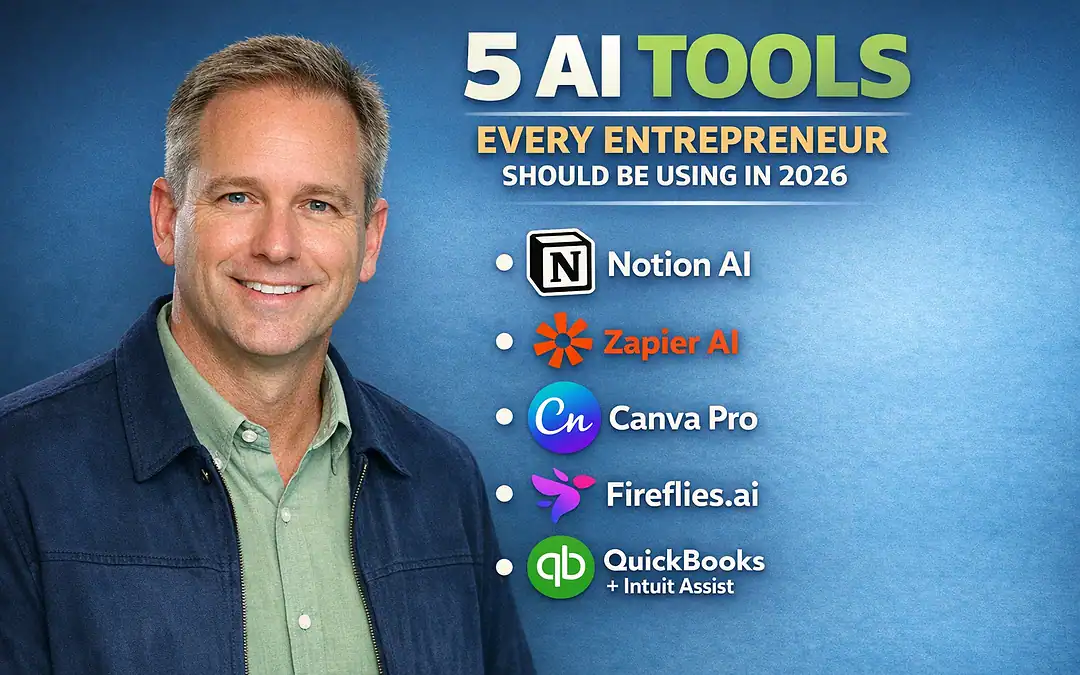
5 AI Business Automation Tools Every Entrepreneur Should Use Right Now
ChatGPT has become synonymous with AI for entrepreneurs. It’s the tool everyone knows, everyone talks about, and millions use daily.
But here’s the truth: if you’re only using ChatGPT, you’re barely scratching the surface of what AI can do for your business.
In 2024, 43% of entrepreneurs used AI in sales processes—nearly double the 24% from 2023. This explosive growth reveals a fundamental shift: AI isn’t experimental technology anymore. It’s become the operating system for modern businesses.
Yet most entrepreneurs remain stuck in the ChatGPT bubble, using one tool when they could be leveraging an entire ecosystem of specialized AI platforms designed to solve specific business challenges.
Businesses integrating AI see efficiency gains up to 40%, reduction in operational costs, and enhanced customer engagement through personalization.
The competitive advantage no longer belongs to those who use AI—it belongs to those who use the right AI tools strategically.
This guide reveals five essential AI platforms beyond ChatGPT that every entrepreneur should implement in 2025/26 to automate operations, boost productivity, and scale faster than their competition.
Why Looking Beyond ChatGPT Matters
ChatGPT is brilliant for conversational AI, brainstorming, and general-purpose writing.
But running a business demands specialized tools designed for specific functions: workflow automation, meeting intelligence, financial management, design creation, and collaborative documentation.
Think of ChatGPT as a Swiss Army knife—versatile and handy.
The tools we’re about to explore are precision instruments designed for specific jobs.
When you combine ChatGPT’s general capabilities with these specialized platforms, you create an AI-powered business infrastructure that can compete with companies ten times your size.
What if you could reclaim 12+ hours every week while growing your business faster than ever?
The best AI tools for entrepreneurs in 2025/26 make this possible.
The Selection Criteria
The five tools featured here were chosen based on:
1. Specialization: Each tool excels at a specific business function that ChatGPT cannot replicate effectively
2. Integration Capability: All tools connect with existing business platforms, creating seamless workflows
3. Accessibility: Affordable pricing with free tiers or trials, making them accessible to bootstrapped startups
4. Proven Results: Real-world testimonials and measurable productivity gains from entrepreneurs
5. Learning Curve: Intuitive interfaces that non-technical founders can implement quickly
Now let’s explore the five AI tools that will transform how you operate in 2025/26.
1. Notion AI: Your All-in-One Workspace Intelligence

What It Does
Notion AI combines planning, notes, and AI writing assistant in one platform.
Unlike ChatGPT, which requires you to copy-paste content between applications, Notion AI lives inside your actual workspace where you’re already managing projects, documenting processes, and collaborating with teams.
Notion transforms from a simple note-taking app into an intelligent business operating system.
It’s where your company knowledge base, project management, meeting notes, and strategic planning converge—all enhanced by AI capabilities that understand your business context.
Key Features for Entrepreneurs
Intelligent Document Creation: Notion AI provides tools to generate, edit, and refine written materials efficiently, ensuring your documents are not only comprehensive but also well-organized and easy to understand.
Whether you’re creating SOPs, client proposals, or product specifications, Notion AI accelerates the process from hours to minutes.
Smart Editing Capabilities: With the smart editing feature, Notion AI becomes a second pair of eyes, reviewing your text for grammatical errors, spelling mistakes, and even tone inconsistencies.
It’s like having a personal editor constantly refining your business communications.
Translation Services: Notion AI breaks down language barriers by providing translation services within your documents. This feature is invaluable for global teams and entrepreneurs looking to engage with international markets.
Content Generation: For those looking to create compelling content, Notion AI can jumpstart the process by generating blog post outlines and email drafts.
This speeds up content creation and helps overcome writer’s block by providing solid starting points.
Brainstorming and Analysis: Notion AI performs best in brainstorming activities where it helps entrepreneurs come up with new ideas and analyze the possible challenges they may encounter while providing suggestions on how these challenges can be prevented.
Why It’s Essential Beyond ChatGPT
ChatGPT requires constant context-switching—copying information, pasting results, reformatting content.
Notion AI eliminates this friction by working directly within your existing workflows. Your company wiki, project roadmaps, and documentation improve in real-time without ever leaving the platform.
Notion AI helps entrepreneurs make better decisions.
It can analyze and interpret data as well as produce meaningful reports.
Rather than generating responses in isolation, Notion AI accesses your entire organizational knowledge base to provide contextually relevant suggestions.
Real-World Impact
Entrepreneurs report significant time savings:
- Meeting notes that previously took 30 minutes to clean up and organize now take 5 minutes
- Project documentation that required 4 hours to create now takes under an hour
- Onboarding materials that needed a week to compile now finish in a single day
The whole tool is built to empower creators, both solo and small teams, with handy instruments. Notion AI extends this mission—it helps with the team’s coordination by identifying how to improve teamwork.
Pricing and Accessibility
Notion offers a generous free plan perfect for solopreneurs and small teams. The Plus plan ($10/user/month) adds unlimited AI responses and advanced collaboration features.
The Business plan ($15/user/month) includes advanced permissions and admin tools.
Best Use Cases:
- Solopreneurs managing multiple projects
- Remote teams needing centralized documentation
- Startups building company knowledge bases
- Service businesses creating client deliverables
2. Zapier AI: The Automation Engine That Connects Everything

What It Does
Entrepreneurs often juggle dozens of apps—email, payment systems, CRMs.
Zapier AI connects them all, creating automated workflows that save hours of manual work. With its AI upgrade, it now suggests automations you didn’t even realize you needed.
Zapier has long been the leading automation platform, but its 2025 AI capabilities transform it from a connector into an intelligent automation engine that learns your workflows and proactively suggests improvements.
Key Features for Entrepreneurs
No-Code Automation: Zapier represents a practical solution for entrepreneurs looking to streamline their digital workflows.
The platform’s ability to connect thousands of apps without coding knowledge makes it accessible to businesses of all sizes.
Intelligent Workflow Suggestions: The AI doesn’t just execute the automations you create—it analyzes your usage patterns and recommends new workflows you haven’t considered.
It might notice you’re manually copying data from Gmail to your CRM and suggest automating that entire process.
Multi-Step Zaps: Create complex workflows that trigger multiple actions across different platforms.
For example: when a payment is received in Stripe, update your CRM, send a welcome email via your ESP, add the customer to a Slack channel, and create a task in your project management tool—all automatically.
AI-Powered Tables: Store and manipulate data without a traditional database, with AI helping you structure and query information intelligently.
Why It’s Essential Beyond ChatGPT
ChatGPT can help you write an email or draft a document, but it can’t automatically route that email to your CRM, trigger a follow-up sequence, and update your project management system.
Zapier handles the connective tissue between all your business applications.
For small business owners and solopreneurs, Zapier can transform productivity by handling routine tasks that would otherwise consume hours each week.
The investment in a paid plan often pays for itself through time savings.
Real-World Impact
Entrepreneurs report dramatic productivity improvements:
- Tasks that required 2 hours of manual data entry now happen automatically
- Lead nurturing sequences that needed daily attention now run on autopilot
- Customer onboarding workflows that took 90 minutes per client now complete in seconds
One e-commerce entrepreneur using Zapier to automate order processing, customer communications, and inventory management reclaimed 15 hours per week—time reinvested into product development and marketing strategy.
Pricing and Accessibility
Zapier’s free tier includes 100 tasks per month and basic two-step Zaps—perfect for testing automation concepts.
The Professional plan ($29.99/month) unlocks multi-step Zaps and 2,000 monthly tasks. Annual billing offers a 33% discount across all plans, helping users save on long-term commitments.
Best Use Cases:
- E-commerce businesses automating order processing
- Service providers managing client onboarding
- Content creators syncing platforms and scheduling
- Sales teams routing leads and managing pipelines
3. Fireflies.ai: Meeting Intelligence That Actually Captures Value

What It Does
Fireflies.ai works with tools like Zoom, Google Meet and Microsoft Teams. Once you invite the AI assistant to the call, it’ll record, transcribe and highlight action items in real time.
After the meeting, you’ll have a searchable transcript that makes it easier to find the main points without replaying the call.
Meetings consume enormous amounts of entrepreneurial time.
Fireflies transforms them from time sinks into strategic assets by automatically documenting, analyzing, and extracting actionable insights from every conversation.
Key Features for Entrepreneurs
Automated Meeting Documentation: Fireflies.ai captures your meetings and summarizes them without manual note-taking. No more furiously typing notes while trying to maintain conversation flow. The AI assistant joins your meetings, records everything, and provides comprehensive transcripts with timestamps.
Searchable Conversation Archives: Find specific conversations or decisions instead of listening to lengthy recordings. Need to remember what your client said about their budget three weeks ago? Search the transcript in seconds rather than rewatching an hour-long recording.
Action Item Extraction: The AI automatically identifies tasks, commitments, and follow-up items mentioned during meetings, creating a structured action list you can immediately implement or delegate.
Team Collaboration and Alignment: Share meeting insights with your sales reps to align everyone on the next best action. Team members who couldn’t attend the meeting can quickly catch up by reading the AI-generated summary.
CRM Integration: Review past sales conversations to track follow-ups and improve communication with clients. Meeting notes automatically sync to your CRM, ensuring no customer details get lost.
Why It’s Essential Beyond ChatGPT
ChatGPT can’t attend your meetings, listen to conversations in real-time, or automatically integrate those insights into your business systems.
Fireflies creates an institutional memory for your business—ensuring critical information from customer calls, team discussions, and strategy sessions never disappears.
For entrepreneurs leading multiple teams, it ensures alignment, provides searchable records, and keeps accountability high
.
Real-World Impact
Entrepreneurs using Fireflies report:
- 60% reduction in time spent on meeting follow-up
- 85% improvement in team alignment on action items
- Zero missed customer commitments or follow-up tasks
- Faster new team member onboarding through access to meeting archives
One startup founder managing a distributed team across three time zones credits Fireflies with solving their documentation problem:
“Team members can’t always attend live meetings, but with Fireflies, they read the summary and stay fully aligned. It’s eliminated the ‘I wasn’t in that meeting’ excuse.”
Pricing and Accessibility
Fireflies offers a free plan with limited transcription minutes—perfect for testing the platform.
The Pro plan ($10/user/month) provides unlimited transcription, advanced search, and CRM integrations.
The Business plan ($19/user/month) adds custom vocabulary and team analytics.
Best Use Cases:
- Sales teams tracking customer conversations
- Distributed teams maintaining alignment
- Client service businesses documenting requirements
- Consultants building knowledge bases from client calls
4. Canva Magic Studio: Design Superpowers Without a Designer
What It Does
Visual content is king in business, but not everyone can hire a designer.
Canva’s Magic Studio empowers entrepreneurs to create social media graphics, presentations, and brand materials with AI-driven design suggestions that look professional.
Canva has democratized design for years, but Magic Studio’s AI capabilities elevate it from a template tool to an intelligent design partner that understands your brand, suggests improvements, and creates professional visuals in minutes.
Key Features for Entrepreneurs
AI-Powered Design Generation: Describe what you need in plain language, and Magic Studio generates multiple design options tailored to your specifications. Need a social media carousel about your new product launch? Type your request, and AI creates several professional variations.
Magic Write: Generate and refine copy directly within your designs.
Use Magic Write to create product descriptions fast. Whether you’re crafting social media captions, presentation content, or marketing headlines,
AI helps you write compelling copy that matches your design.
Brand Kit Intelligence: Once you establish your brand colors, fonts, and logo, Magic Studio automatically applies them to every design, ensuring brand consistency across all materials without manual adjustments.
Background Removal and Image Enhancement: The AI instantly removes backgrounds from product photos, enhances image quality, and suggests layout improvements—tasks that previously required Photoshop expertise.
Magic Switch: Transform one design into multiple formats instantly. Create a social media post, then convert it to a presentation slide, email header, and print flyer with a single click.
Why It’s Essential Beyond ChatGPT
ChatGPT can suggest design concepts and write copy, but it can’t create the actual visual assets your business needs. Canva Magic Studio handles the entire visual content creation process, from concept to final deliverable.
Canva’s AI features, such as Magic Switch and background remover tools, make it a great tool for small business owners who want to create professional graphics without design expertise.
Real-World Impact
Entrepreneurs using Canva Magic Studio report:
- 75% reduction in design costs (no need for freelance designers for routine materials)
- 10x increase in content creation speed
- Professional brand presentation that rivals companies with dedicated design teams
- Ability to test multiple visual concepts quickly before finalizing campaigns
A solopreneur selling digital products shared: “Before Canva’s AI, I spent $500+ monthly on freelance designers for social media graphics and product mockups.
Now I create everything myself in a fraction of the time, and honestly, the quality is just as good.”
Pricing and Accessibility
Canva offers a robust free plan with access to many AI features—ideal for bootstrapped startups.
Canva Pro ($12.99/month for individuals, $14.99/month per person for teams) unlocks the full Magic Studio suite, including unlimited AI-generated images, brand kit features, and premium templates.
Best Use Cases:
- E-commerce businesses creating product graphics
- Coaches and consultants designing presentation materials
- Social media managers producing daily content
- Startups maintaining professional brand presence without design budgets
5. QuickBooks with Intuit Assist: Financial Intelligence on Autopilot

What It Does
QuickBooks is powered by a suite of AI agents embedded within the platform, each designed to automate specific financial tasks, deliver real-time insights, and streamline decision-making across core business operations.
Financial management is the lifeblood of any business, yet most entrepreneurs lack accounting expertise and find bookkeeping tedious.
QuickBooks’ AI capabilities transform financial management from a dreaded chore into an intelligent system that provides strategic insights while handling routine tasks automatically.
See more of what Quickbooks is capable of in this comparison article here. .
Key Features for Entrepreneurs
AI-Powered Automation: QuickBooks has been recognized for its AI-powered features that improve operational efficiency and reduce manual workload for entrepreneurs, with measurable impact on time savings.
The platform automatically categorizes expenses, matches transactions, and generates financial reports without manual data entry.
Intelligent Financial Agents: The platform includes multiple specialized AI agents:
- Finance Agent: Provides advanced financial management tools including performance reporting, KPI analysis, scenario planning, and peer benchmarking
- Payroll Agent: Collects time and attendance data and runs payroll on command, reducing time spent on manual payroll processes
- Project Management Agent: Tracks project quotes, milestones, and budgets to help teams stay aligned and on schedule
- Customer Agent: Identifies and tracks leads, drafts personalized email responses, suggests meeting times based on engagement data, and manages the customer pipeline
Real-Time Business Intelligence: The AI continuously analyzes your financial data to provide insights:
“Your cash flow will be tight in two weeks based on current receivables and payables. Consider following up on these three invoices.”
Automated Invoicing and Collections: AI generates and sends invoices automatically, tracks payment status, and sends polite reminder emails to late-paying clients—removing the awkwardness of collections management.
Why It’s Essential Beyond ChatGPT
ChatGPT can explain accounting concepts and help you draft financial emails, but it can’t access your actual financial data, track expenses, manage invoices, or provide real-time business intelligence.
QuickBooks’ AI lives inside your financial operations, making intelligent decisions based on your actual numbers.
Entrepreneurs and small business owners are facing increasing pressure to manage finances, operations, and customer relationships with limited resources.
By automating predictable tasks and delivering real-time business intelligence, AI tools like Intuit Assist help organizations operate more efficiently.
Real-World Impact
Entrepreneurs using QuickBooks AI report:
- Up to 12 hours monthly saved through automated financial management
- 95% reduction in invoice errors and payment delays
- Better financial decision-making through predictive cash flow insights
- Stress reduction from knowing their finances are accurately tracked
One service business owner shared: “Before QuickBooks AI, I’d spend entire Saturdays catching up on bookkeeping and chasing late payments.
Now the system handles it automatically, and I get alerts when I need to take action. It’s given me back my weekends.”
Pricing and Accessibility
QuickBooks offers tiered pricing starting with Simple Start ($30/month) for basic invoicing and expense tracking. The Essentials plan ($60/month) adds bill management and time tracking. The Plus plan ($90/month) includes inventory tracking and project profitability analysis. Advanced plans provide industry-specific features.
All plans include AI capabilities, with more sophisticated agents available on higher tiers.
Best Use Cases:
- Service businesses managing invoices and project profitability
- E-commerce companies tracking inventory and cash flow
- Freelancers and consultants handling client billing
- Growing businesses needing financial visibility and forecasting
How to Implement These Tools Strategically

Adopting five new AI tools simultaneously is overwhelming and counterproductive. Here’s a strategic implementation roadmap:
Phase 1: Foundation (Week 1-2)
Start with Notion AI
Begin by centralizing your business documentation and workflows in Notion. Migrate your scattered notes, project plans, and documentation into one intelligent workspace. This creates the foundation for everything else.
Action Steps:
- Set up your Notion workspace with databases for projects, clients, and documentation
- Train Notion AI on your business context by feeding it existing documents
- Create templates for recurring documents (proposals, meeting notes, SOPs)
Phase 2: Automation (Week 3-4)
Add Zapier AI
Once your documentation is centralized, identify your most time-consuming repetitive tasks and automate them with Zapier.
Action Steps:
- Track your time for one week to identify repetitive manual tasks
- Create your first three Zaps automating your biggest time drains
- Test and refine workflows before adding more complexity
Phase 3: Intelligence (Week 5-6)
Implement Fireflies.ai
With documentation and automation in place, capture and preserve the valuable insights from your conversations.
Action Steps:
- Connect Fireflies to your primary meeting platform
- Review transcripts and identify patterns in customer conversations
- Create a meeting insights database in Notion using Fireflies transcripts
Phase 4: Visual Assets (Week 7-8)
Master Canva Magic Studio
Now that operations are running smoothly, elevate your brand presentation with professional visual content.
Action Steps:
- Set up your brand kit with colors, fonts, and logo
- Create templates for your most common design needs
- Schedule time to batch-create visual content for the month ahead
Phase 5: Financial Intelligence (Week 9-10)
Integrate QuickBooks AI
With operations humming, ensure your financial management matches your operational efficiency.
Action Steps:
- Connect all business bank accounts and credit cards
- Set up automated invoicing and expense categorization rules
- Review AI-generated financial insights weekly to inform business decisions
Phase 6: Integration and Optimization (Week 11-12)
Connect Everything
Use Zapier to create workflows between these tools, creating a seamless AI-powered business infrastructure.
Example Integration:
- Fireflies transcripts automatically saved to Notion
- QuickBooks invoice data triggering Notion project updates
- Canva designs automatically shared to relevant Notion pages
- Zapier monitoring QuickBooks for payment issues and creating follow-up tasks in Notion
Common Implementation Mistakes to Avoid
Mistake 1: Tool Overload Without Strategy
Enterprise-level tools often come with high costs and steep learning curves. Start with simple, focused tools that solve clear problems.
Solution: Implement one tool at a time, master it, measure results, then add the next tool. Quality implementation beats quantity every time.
Mistake 2: Publishing Unedited AI Output
AI is great for rough drafts, but unedited output can sound robotic or generic. Always refine AI-generated content before sharing it. Adding your voice and insights can help.
Solution: Use AI as a first draft generator and efficiency multiplier, but always add human review, personality, and strategic thinking before publishing or sending.
Mistake 3: Poor Integration Setup
Poor integration creates more work, not less. Many entrepreneurs adopt tools without properly connecting them to existing workflows, creating additional data silos and manual work.
Solution: Before implementing any new tool, map out how it will integrate with your existing systems. Use Zapier to create automated data flows between platforms.
Mistake 4: Ignoring Data Security
AI drives speed and scale, but it can amplify errors, bias, and privacy risks. Always add human review to public-facing outputs, maintain clear data governance for customer data.
Solution: Review each tool’s security features, enable two-factor authentication, and establish clear policies about what data gets shared with AI systems.
Mistake 5: Not Measuring Impact
Adopting AI tools without tracking their actual impact on productivity, revenue, or cost savings makes it impossible to know what’s working.
Solution: Before implementing each tool, define 2-3 specific metrics you’ll track (time saved, revenue generated, costs reduced). Review these metrics monthly and adjust your approach accordingly.
Measuring Your AI Tool ROI
To justify the investment in these tools and ensure they’re delivering value, track these metrics:
Time Savings Metrics
Before AI Implementation:
- Hours per week on administrative tasks
- Time from project initiation to completion
- Meeting follow-up and documentation time
After AI Implementation:
- Reduction in administrative task time
- Faster project delivery timelines
- Meeting-to-action time compression
Target: 30-40% reduction in time spent on routine tasks within 90 days
Revenue Impact Metrics
Before AI Implementation:
- Monthly revenue
- Customer acquisition cost
- Average deal size
- Time from lead to closed sale
After AI Implementation:
- Revenue growth rate
- Reduced customer acquisition costs through automation
- Increased average deal size through better follow-up
- Shortened sales cycles
Target: 10-20% improvement in revenue metrics within 6 months
Cost Reduction Metrics
Before AI Implementation:
- Outsourcing costs (designers, bookkeepers, virtual assistants)
- Software subscription costs
- Error and rework costs
After AI Implementation:
- Reduced outsourcing needs
- Consolidated tool costs (replacing multiple tools with integrated AI platforms)
- Fewer errors requiring rework
Target: 20-40% reduction in operational costs within 12 months
Quality Improvement Metrics
Before AI Implementation:
- Customer satisfaction scores
- Invoice accuracy rate
- Brand consistency scores
- Project delivery on-time rate
After AI Implementation:
- Improved customer satisfaction through faster response times
- Near-perfect invoice accuracy
- Consistent brand presentation across all materials
- Higher on-time delivery rates
Target: 15-25% improvement in quality metrics within 6 months
The Future of AI Tools for Entrepreneurs (2025/26 Outlook)
The AI tool landscape continues evolving rapidly. Here’s what to expect:
Agentic AI Systems
AI is moving beyond reactive assistance to proactive agency. Future versions of these tools will:
- Anticipate needs before you ask
- Execute multi-step projects with minimal human direction
- Learn from your decisions to make better autonomous choices
By 2025, 25% of enterprises using generative AI will deploy AI agents to enhance workflows and decision-making processes.
Deeper Cross-Platform Integration
Expect tighter integration between AI tools, creating seamless workflows where:
- Meeting insights automatically update financial forecasts
- Design assets self-generate based on project documentation
- Financial data triggers automated marketing campaigns
Personalization at Scale
AI tools will increasingly understand your specific business context, industry, and preferences, providing:
- Industry-specific recommendations
- Business-size-appropriate strategies
- Personalized growth roadmaps based on your goals
Regulatory Compliance Features
As AI regulation increases, expect tools to include:
- Transparency features showing AI decision-making processes
- Compliance verification for industry-specific regulations
- Data governance tools ensuring privacy protection
Frequently Asked Questions (FAQs)
Q: Can these tools really replace ChatGPT, or should I use them together?
A: These tools don’t replace ChatGPT—they complement it by handling specialized business functions ChatGPT can’t.
Think of ChatGPT as your general-purpose AI assistant for brainstorming, writing, and problem-solving, while these tools handle specific operational needs.
The ideal setup uses ChatGPT for strategic thinking and content creation, while Notion AI handles workspace documentation,
Zapier automates workflows, Fireflies captures meetings, Canva creates visuals, and QuickBooks manages finances.
Together, they create a comprehensive AI-powered business infrastructure.
Many entrepreneurs use ChatGPT to draft strategies and content, then paste those into Notion AI for refinement within their workspace, create Canva designs from the concepts, and use Zapier to distribute the final assets—creating a powerful workflow that leverages each tool’s strengths.
Q: What’s the total cost of implementing all five tools?
A: You can start with free tiers for most tools:
- Notion AI: Free for basic use, $10/month for unlimited AI
- Zapier: Free for 100 tasks/month, $29.99/month for serious automation
- Fireflies.ai: Free for limited transcription, $10/month for unlimited
- Canva Pro: Free for basic features, $12.99/month for full AI capabilities
- QuickBooks: Starting at $30/month for basic features
Total investment:
- Free tier testing: $0 (use free versions to test everything)
- Minimal implementation: $30-50/month (QuickBooks + one or two upgraded tools)
- Full implementation: $92.98/month for all premium tiers
- Annual commitment discount: Approximately $750-900/year if paying annually
Compare this to hiring:
- Part-time bookkeeper: $500-1,000/month
- Virtual assistant: $800-1,500/month
- Freelance designer: $300-800/month
- Project coordinator: $1,000-2,000/month
The AI tools deliver similar value at less than one-tenth the cost, working 24/7 without vacation or sick days.
Q: How long does it take to see ROI from these tools?
A: ROI timelines vary by tool and implementation quality:
Immediate Impact (Week 1-4):
- Canva Magic Studio: Instant design creation, eliminating wait times for graphics
- Notion AI: Immediate document generation speed improvements
- Time savings: 5-10 hours per week
Short-Term Impact (Month 2-3):
- Zapier: Workflows running automatically, eliminating repetitive tasks
- Fireflies: Meeting follow-up time reduced by 60%
- Time savings: 10-15 hours per week
- Cost savings: Reduced outsourcing needs become apparent
Medium-Term Impact (Month 4-6):
- QuickBooks: Financial clarity driving better business decisions
- Integrated workflow: All tools working together seamlessly
- Revenue impact: Better follow-up and organization leading to more closed deals
- Time savings: 15-20 hours per week
Most entrepreneurs report breaking even on tool costs within the first month simply from time savings, with compounding benefits accelerating thereafter.
Q: Do I need technical skills to implement these tools?
A: No. All five tools were specifically chosen for their accessibility to non-technical entrepreneurs:
ChatGPT for entrepreneurs is designed for natural language input with no coding needed. Similarly, these tools prioritize intuitive interfaces over technical complexity.
Notion AI: If you can write a document, you can use Notion AI. The interface is point-and-click with plain language commands.
Zapier: Designed explicitly for non-coders. You select apps from dropdown menus and define triggers/actions in plain English. Many entrepreneurs with zero technical background successfully implement complex automations.
Fireflies.ai: Simply invite the AI assistant to your meeting. That’s the entire technical requirement.
Canva Magic Studio: If you can describe what you want in a sentence, the AI creates it. No design expertise required.
QuickBooks: Banking integration is guided step-by-step. The AI handles categorization and setup automatically.
That said, strategic thinking matters more than technical skills. Understanding what to automate, which meetings to transcribe, and what designs you need requires business judgment, not technical expertise.
Q: What if my business is too small for these tools?
A: These tools are specifically designed for small businesses and solopreneurs. They scale down beautifully:
AI tools for solo entrepreneurs excel at automation. Tasks that used to take hours, like writing emails or product descriptions, now take minutes.
Solopreneur Setup:
- Start with Notion AI (free tier) for documentation
- Add Canva Magic Studio (free tier) for graphics
- Implement one or two Zapier workflows (free tier)
- Add paid tools only when you’re spending more time on tasks than the tool costs
A solopreneur consultant might spend:
- $0/month initially (using free tiers)
- $40-50/month after proving value (upgrading just Notion and Canva)
- Still saving 10+ hours weekly compared to doing everything manually
You’re not too small—you’re exactly the business these tools empower most. Large companies have teams handling these functions. Small businesses and solopreneurs use AI to compete with those larger teams.
Q: How do I choose which tool to implement first?
A: Prioritize based on your biggest pain point:
Start with Notion AI if: You’re drowning in disorganized notes, can’t find information when needed, or spend hours creating documents from scratch.
Start with Zapier if: You’re doing the same repetitive tasks daily (copying data between apps, sending the same types of emails, updating multiple systems manually).
Start with Fireflies.ai if: You’re in back-to-back meetings, missing important details, or struggling to keep team members aligned on decisions.
Start with Canva Magic Studio if: You’re paying freelancers for simple graphics, waiting days for design turnaround, or avoiding visual content because it’s too hard to create.
Start with QuickBooks if: You’re behind on bookkeeping, unsure of your actual financial position, or spending entire weekends catching up on invoices and expenses.
Strategic approach: Most entrepreneurs find starting with Notion AI or Zapier provides the broadest immediate impact, then layering in specialized tools as workflows stabilize.
Q: Are these tools secure for sensitive business information?
A: All five tools maintain enterprise-grade security, but you should still follow best practices:
Security Features:
Notion AI: SOC 2 Type II certified, GDPR compliant, offers SSO and advanced permissions. Data is encrypted in transit and at rest.
Zapier: SOC 2 Type II certified, encrypted data transfer, regular security audits. Connections use OAuth authentication rather than storing passwords.
Fireflies.ai: SOC 2 Type II compliant, GDPR compliant, offers private storage options. Meeting recordings can be encrypted and stored on your own infrastructure.
Canva: ISO 27001 certified, GDPR compliant, two-factor authentication available. Designs stored with encryption.
QuickBooks: Bank-level encryption (128-bit SSL), automatic security updates, multi-factor authentication, and compliant with financial industry regulations.
Best Practices:
- Enable two-factor authentication on all platforms
- Review and limit team member access permissions
- Avoid putting highly sensitive data (like social security numbers, full credit card details) in AI prompts
- Use business email addresses rather than personal accounts
- Review each tool’s data processing agreements
- Establish clear policies about what information gets shared with AI systems
For highly regulated industries (healthcare, finance, legal), verify each tool meets your specific compliance requirements before implementation.
Q: Can I integrate these tools with my existing software?
A: Yes, integration capability was a key selection criterion. Here’s how they connect:
Zapier acts as the central hub:
- Connects to 6,000+ apps including all major CRMs, email platforms, payment processors, and project management tools
- Creates automated workflows between any of these tools and your existing software
- No coding required—uses point-and-click interface
Notion AI integrates with:
- Google Drive, Dropbox, and cloud storage
- Slack for team notifications
- Calendar apps for scheduling
- Through Zapier: connects to virtually any business app
Fireflies.ai integrates with:
- Zoom, Google Meet, Microsoft Teams, Webex
- CRMs: Salesforce, HubSpot, Pipedrive
- Project management: Asana, Monday.com, Trello
- Slack for meeting summaries
Canva integrates with:
- Social media platforms for direct publishing
- Google Drive, Dropbox for asset storage
- Mailchimp and email platforms
- Through Zapier: distributes designs automatically
QuickBooks integrates with:
- All major banks and credit cards
- PayPal, Stripe, Square for payment processing
- Shopify, WooCommerce for e-commerce
- Time tracking tools like TSheets
- 650+ apps in the QuickBooks app marketplace
Pro tip: Map your current software stack before implementing. Identify the most valuable integration points and set those up first using Zapier as your connector.
Q: What happens if I decide a tool isn’t working for me?
A: All five tools offer flexible cancellation and data portability:
Exit Strategy for Each Tool:
Notion AI:
- Export all data as Markdown, HTML, or PDF at any time
- No long-term contracts—cancel monthly subscription anytime
- Free tier remains available indefinitely
Zapier:
- Zaps stop running immediately upon cancellation, but no data loss
- Can export Zap configurations as documentation
- Downgrade to free tier instead of full cancellation
Fireflies.ai:
- Download all meeting transcripts and recordings before canceling
- Can export data as text files, PDFs, or audio files
- Free tier available for occasional use
Canva:
- Download all designs in multiple formats (PNG, PDF, MP4)
- Designs created on free tier remain accessible even after Pro cancellation
- Can downgrade to free tier instead of full cancellation
QuickBooks:
- Export all financial data as Excel, CSV, or PDF
- Required by law to provide complete financial records
- Can migrate data to other accounting platforms
Best Practice: Test each tool on its free tier or during trial periods before committing to paid plans.
Start small, prove value, then scale investment.
Most entrepreneurs find these tools become increasingly valuable over time rather than less, but having exit options provides peace of mind.
Creating Your AI-Powered Business Infrastructure
The real power of these five tools emerges when they work together as an integrated system. Here’s a sample workflow showing how they interconnect:
Example: Client Onboarding Workflow
Step 1: Sales Call (Fireflies.ai)
- Fireflies joins your Zoom consultation with prospective client
- Records conversation and transcribes automatically
- Identifies key requirements, budget, timeline, and concerns
Step 2: Documentation (Notion AI)
- Zapier automatically creates new client page in Notion from Fireflies transcript
- Notion AI generates project scope document based on conversation
- Creates customized proposal using AI writing features
Step 3: Visual Assets (Canva Magic Studio)
- Design branded proposal presentation in Canva
- Create welcome packet graphics
- Generate social media announcement templates
Step 4: Contract & Payment (QuickBooks AI)
- Send invoice through QuickBooks upon contract signing
- Automate payment reminders
- Track project profitability against initial estimate
Step 5: Project Execution (Zapier)
- Upon payment receipt, Zapier triggers:
- Welcome email sequence
- Slack notification to team
- Project kickoff meeting scheduled
- Client portal access granted
- All automated, zero manual work
Result: What previously took 4-6 hours of manual work across multiple tools now happens automatically in minutes, with better consistency and fewer errors.
Success Stories: Real Entrepreneurs Using These Tools
Sarah, Marketing Consultant
Before AI Tools: Spending 15 hours weekly on administrative tasks, struggling to scale beyond 5 clients simultaneously.
After Implementation:
- Notion AI: Centralized all client documentation and project management
- Fireflies: Captured all client calls, eliminating 5 hours weekly of note-taking
- Canva: Created client deliverables in minutes instead of hiring designers
- Zapier: Automated client onboarding and reporting
Results: Increased client capacity from 5 to 12 simultaneously, reduced administrative time by 80%, doubled revenue within 6 months.
Marcus, E-Commerce Founder
Before AI Tools: Manually processing orders, creating product graphics on nights and weekends, constantly behind on bookkeeping.
After Implementation:
- QuickBooks: Automated all accounting and financial tracking
- Zapier: Connected Shopify to fulfillment, customer service, and accounting
- Canva: Created all product images and marketing graphics in-house
- Notion: Built operational runbooks and vendor documentation
Results: Scaled from $10K to $50K monthly revenue with the same team size, reclaimed weekends, achieved consistent profitability through better financial visibility.
Jennifer, Business Coach
Before AI Tools: Losing valuable insights from coaching calls, inconsistent client communication, time-consuming content creation.
After Implementation:
- Fireflies: Recorded all coaching sessions with transcripts for clients
- Notion AI: Created client success plans and progress tracking
- Canva: Produced weekly social media content and course materials
- Zapier: Automated email sequences and follow-up scheduling
Results: Improved client results (measurable through testimonials), increased content output 400%, launched group coaching program that previously seemed impossible to manage.
Conclusion: Your AI-Powered Competitive Advantage
ChatGPT opened the door to AI for entrepreneurs, but these five specialized tools build the complete infrastructure needed to compete and win in 2025/26.
The entrepreneurs dominating their markets aren’t those using more AI tools—they’re those using the right AI tools strategically to solve specific business challenges.
The transformation is real:
- Time savings: 15-20 hours weekly once fully implemented
- Cost savings: $2,000-4,000 monthly in reduced outsourcing
- Revenue impact: 20-40% growth through better execution and consistency
- Stress reduction: Immeasurable value from knowing systems are handling routine work flawlessly
Your 30-day action plan:
Week 1-2: Implement Notion AI, centralize documentation Week 3-4: Add Zapier, automate top 3 time-draining workflows
Week 5-6: Deploy Fireflies, capture meeting insights Week 7-8: Master Canva Magic Studio, create visual content library Week 9-10: Integrate QuickBooks, achieve financial clarity
The investment is minimal. The learning curve is manageable. The competitive advantage is substantial.
Every day you delay, competitors are implementing these systems, reclaiming hours weekly, and reinvesting that time into strategic growth while you’re still stuck in operational quicksand.
The question isn’t whether AI will transform how entrepreneurs operate—it already has. The question is: will you be among the leaders leveraging these tools, or among the businesses struggling to catch up?
Start today. Your future self—and your business—will thank you.