
Introduction: The Camera Was Never the Requirement
 In our article today, we consider a topic that has been generating quite a bit of interest. How to start a faceless YouTube channel?
Across this content cluster, we have touched more than once on a hesitation that stops many retirees and beginners before they even start: the assumption that YouTube success requires being comfortable on camera.
It does not, and this article exists to walk through exactly how a faceless channel works, from format choice through to the monetisation rules that genuinely matter.
Faceless channels are not a workaround or a lesser version of “real” YouTube content.
Millions of successful channels — finance explainers, history narrations, product reviews, tutorial content — are built entirely without the creator ever appearing on screen.
If the idea of filming yourself has been the one thing standing between you and starting your 90-day content plan, this is the article that removes that barrier.
Let’s get started then on how to start a faceless youtbe channel, shall we?
Key Takeaways
- A faceless channel replaces on-camera presence with voiceover, screen recordings, stock footage, or AI-generated visuals
- AI voice narration is permitted on YouTube, provided the content is not mass-produced or repetitive
- YouTube’s monetisation policy focuses on originality and substance, not on whether a human face appears in the video
- Screen recordings are especially well suited to tutorial-format affiliate content, since the product being reviewed is already the visual focus
- A modest, largely free toolkit is enough to produce a professional-feeling faceless video as a beginner
What a Faceless Channel Actually Looks Like

“Faceless” simply means the creator is not visually identifiable as a physical presence in the video. In practice, that content typically takes one of a few forms:
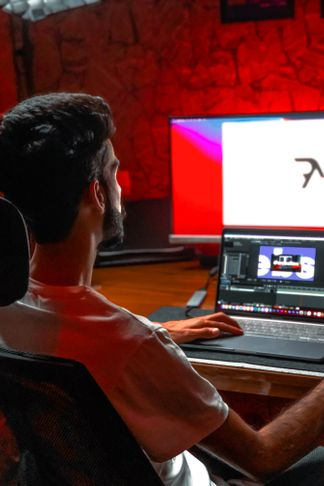
- Voiceover narration over screen recordings — ideal for tutorials, walkthroughs, and software or tool reviews
- Voiceover narration over stock footage or images — common for explainer, list-style, or commentary content
- Text-to-speech or AI voice narration — a further step removed from needing to record your own voice at all
- Slide-based or animated content — useful for more structured, educational-style videos
For an affiliate marketer specifically, screen recording narration is often the most natural fit, since the best-performing video formats in this space — reviews, tutorials and comparisons — already centre on showing a tool or product on screen.
The viewer’s attention is on the software or platform being demonstrated, not on the presenter, which makes faceless content a genuinely natural choice rather than a compromise.
Is AI Voice Narration Actually Allowed?
Yes. There is no YouTube policy against using an AI-generated or text-to-speech voice for narration.
What YouTube does restrict is content that is mass-produced, repetitive, or offers little variation from video to video — a policy area YouTube recently renamed from “repetitious content” to “inauthentic content” to make this distinction clearer.
In practical terms, this means the voice itself is not the issue.
A channel narrated entirely by an AI voice can be monetised without any problem, provided each video offers genuine substance — a real review, a real walkthrough, a real explanation — rather than templated content produced at scale with minimal variation between uploads.
For a beginner producing honest, individually researched reviews and tutorials as outlined in this cluster, this distinction works entirely in your favour.
You are not mass-producing generic content; you are creating one genuine, useful video at a time, which is exactly what this policy is designed to reward.
Choosing Your Voice: AI or Your Own
You have two realistic options for narration, and neither is inherently better than the other.
Recording your own voice costs nothing beyond a basic microphone and gives your channel a consistent, human tone that some viewers connect with more easily.
It also sidesteps any need to think about AI voice licensing.
Using an AI voice tool removes the need to record and re-record narration yourself, which can be a genuine advantage if scripting and re-takes feel like the biggest barrier to consistent publishing.
If you go this route, use a tool licensed for commercial use, and avoid any AI voice that closely mimics a specific real person’s voice without permission, since that raises separate legal and platform concerns beyond YouTube’s own policies.
Either approach is a legitimate starting point.
Many beginners find it easiest to start with their own recorded voice, since it requires no extra tool or setup, and consider an AI voice tool later if narration becomes a genuine bottleneck to staying consistent.
A Simple, Mostly Free Faceless Toolkit
You do not need a significant budget to produce a professional-feeling faceless video. A workable starting toolkit includes:
- Screen recording software to capture your screen while demonstrating a tool or platform
- A basic video editor to trim footage, add captions, and combine your voiceover with your visuals
- A thumbnail design tool to create the custom thumbnails covered in the SEO guide earlier in this cluster
- A microphone, even an inexpensive USB one, if recording your own voice
Several tools in this space now bundle multiple parts of this workflow together — screen recording, editing, captioning and thumbnail design in one place — which can meaningfully simplify the toolkit for a beginner.
You can browse a curated set of options suited to faceless content creation on our Tools and Resources page.
Faceless Content and Your Blog: A Natural Pairing
There is an added benefit to faceless content that is easy to overlook when you are focused on getting your first video published: it pairs unusually well with a blog-first content strategy.
A screen recording narrating a tool walkthrough can often be repurposed, in large part, into the structure of a blog post covering the same tool — and the reverse is true as well, since a well-researched blog post on a product already contains most of the script you need for the equivalent video.
This overlap is exactly the kind of cross-platform efficiency covered in The Breakthrough Shift, and it is considerably easier to achieve with faceless content than with on-camera content, where the presentation style differs more significantly between platforms.
For a retiree or beginner managing both a blog and a YouTube channel with limited time, this overlap is worth building into your workflow deliberately.
Draft the blog post first, then use that same research and structure as your video script — or do the reverse if video comes more naturally to you first.
Either way, you are effectively getting two pieces of content from one round of research, which meaningfully reduces the total time investment across your two platforms.
Structuring a Faceless Video for Retention

Without a face on screen to hold attention, structure and pacing carry more of the weight in keeping a viewer watching. A few practical guidelines:
- Open with a clear, direct statement of what the viewer will get from the video, within the first few seconds
- Keep visuals moving — a screen recording with no cursor movement or scene changes for long stretches loses attention quickly
- Use captions throughout, both for accessibility and because a meaningful share of viewers watch with sound off
- Break longer tutorials into clearly signposted sections, using the timestamp approach covered in the SEO article
This structural discipline matters more for faceless content than for on-camera content, where a presenter’s energy and body language can carry a viewer through a slower moment.
A faceless video has to earn attention through pacing and clarity alone. Starting your faceless channel using AI is also a consideration as mentioned by Morphic.
Further Reading
For the current, official policy on originality and monetisation eligibility — the piece that actually determines whether faceless, AI-narrated content can be monetised — see YouTube’s own Help Centre:
YouTube channel monetisation policies — YouTube Help
Here is a super detailed article I found on the topic of faceless video channel startup I think you will find very interesting. Faceless YouTube Channel No Nonsense Guide.
FAQ
Q: Will using an AI voice hurt my chances of getting monetised?
A: No, not on its own. YouTube’s policy targets mass-produced, repetitive content with little variation between videos, not the use of an AI voice specifically.
Genuine, individually created reviews and tutorials narrated by an AI voice are treated the same as any other original content.
Q: Is screen recording content considered faceless content?
A: Yes. Any video where the creator does not appear visually on screen counts as faceless, regardless of whether the visual content is a screen recording, stock footage, or animation.
Q: Do I need expensive equipment to start a faceless channel?
A: No. Screen recording software, a basic video editor, and an inexpensive microphone (if recording your own voice) are enough to get started.
Several tools now combine multiple parts of this workflow into a single platform.
Q: Is it better to use my own voice or an AI voice?
A: Both are legitimate options. Your own voice requires no extra tool and creates a consistent human tone; an AI voice removes the need for recording and re-takes.
Many beginners start with their own voice and consider an AI tool later if narration becomes a bottleneck.
Q: What actually gets a channel flagged under YouTube’s originality policy?
A: Content that looks templated with little variation from video to video, or that is easily replicable at scale with minimal individual effort.
Genuine, individually researched reviews and tutorials are not the target of this policy.
Explore screen recording, editing and thumbnail tools suited to faceless content on our Tools and Resources page.
This has been article #6 How to Start a Faceless YouTube Channel in the YouTube Affiliate Marketing Cluster . You will find below the full listing of articles that you can follow and access the Pillar Post. for this cluster.
1.How to Set Up a YouTube Channel for Affiliate Marketing (Beginner’s Setup Guide)
2.Best YouTube Video Types for Affiliate Marketers (Reviews, Tutorials, Comparisons)
3.Your First 90 Days on YouTube: A Beginner’s Content Plan for Affiliate Marketers
4.YouTube SEO for Beginners: How to Get Your Videos Found in 2026
5.How to Place Affiliate Links on YouTube (Description, Pinned Comments, End Screens)
6.How to Start a Faceless YouTube Channel for Affiliate Marketing (No Camera Needed)
7.YouTube and Blogging Together: How to Build a Two-Platform Affiliate Strategy
8.Common YouTube Affiliate Marketing Mistakes Beginners Make (And How to Avoid Them)