
Introduction: Setup Is the Foundation, Not a Formality
If you read our pillar guide on YouTube affiliate marketing for beginners, you already know why YouTube deserves a place in your affiliate marketing strategy alongside your blog.
This article goes deeper into the very first step: setting up your channel properly.
We examine how to set up a YouTube channel for affiliate marketing.
Many beginners treat channel setup as a five-minute technicality — pick a name, upload a photo, publish a video. Then they wonder why the algorithm never seems to find them an audience.
The truth is that setup decisions made in your first hour on YouTube quietly shape everything that follows: who YouTube recommends your videos to, whether a first-time visitor subscribes, and how quickly your channel builds topical authority.
Getting this right before you publish anything saves you from rebuilding your foundation later.
Key Takeaways
- Your niche should be chosen before your channel name, not the other way around
- A complete channel profile — description, art, trailer, links — signals to YouTube and viewers that your channel is serious
- Linking your blog to your channel from day one builds authority on both platforms simultaneously
- You do not need to show your face or own expensive equipment to set up a professional, credible channel
- A YouTube Brand Account gives you more flexibility and control than a personal channel, especially if you ever bring on help
Choose Your Niche Before You Choose Your Name
It is tempting to open YouTube Studio and start typing a channel name before you have fully decided what the channel is about. Resist that urge.
Your niche needs to be specific enough that YouTube’s recommendation system can quickly understand who should see your content.
“Making money online” is not a niche — it is a category with millions of competing channels. “Affiliate marketing tools for retirees starting a second income” is a niche.
It tells YouTube exactly who to show your videos to, and it tells a viewer within seconds whether your channel is for them.
Ask yourself three questions before settling on a direction:
- Can I produce content about this topic consistently for the next twelve months without running out of ideas?
- Does my target audience actually search for this topic on YouTube?
- Does this niche align with products or services I can genuinely recommend as an affiliate?
Once you can answer yes to all three, your niche is set — and your channel name should reflect it plainly rather than cleverly.
A name that clearly states what you help people with will always outperform a name that requires explanation.
Setting Up the Right Type of Account
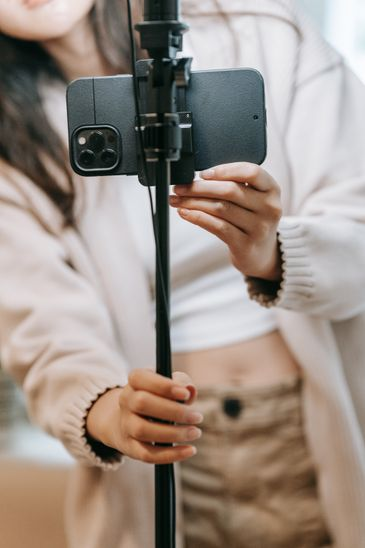 Before you create your channel, decide whether you want a personal channel or a Brand Account. This choice is easy to overlook, but it matters more than most beginners realize.
A personal channel is tied directly to your individual Google Account.
A Brand Account, by contrast, can have multiple managers, does not require sharing your personal login details, and gives you more flexibility if you ever want to hand off video uploads, thumbnail design, or community management to someone else down the line.
For most solo affiliate marketers just starting out, either option works from day one.
But if there is any chance you will eventually outsource part of your content production — even something as simple as thumbnail creation — a Brand Account will save you a migration headache later.
You can create one directly from your YouTube account settings when you set up your channel for the first time.
Optimize Your Channel Profile Completely Before Your First Upload
A channel with zero videos and a fully completed profile will convert more first-time visitors into subscribers than a channel with ten videos and a half-finished profile.
Here is what to complete before you hit publish on anything:
Channel description. This is one of the most overlooked pieces of SEO real estate on YouTube. State clearly, in the first sentence or two, who you help and what your channel covers — using the same language your target audience would use to search for you. The first 100 characters matter most, since that is what displays before a viewer taps “Show more.”
Channel art and profile picture. These should be consistent with your blog’s branding if you already have one. A viewer who recognizes your visual identity across both platforms builds trust faster than one encountering two disconnected brands.
Channel trailer. A short, unpolished video introducing who you are, who the channel is for, and what viewers can expect. This does not need production value — it needs clarity. Many beginners skip this step entirely, which is a missed opportunity, since it is often the first thing a new visitor watches.
Links section. Connect your blog and any relevant social profiles here. This is your first cross-platform bridge, and it should be in place from the very first day your channel goes live — not added months later once you “have more content.”
You Do Not Need to Show Your Face
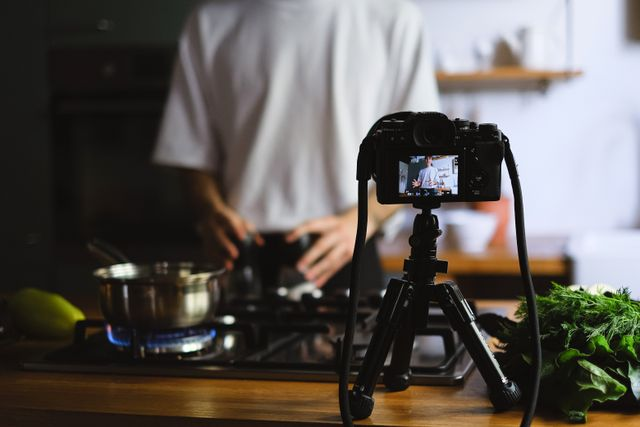
One of the biggest setup hesitations for beginners — particularly retirees and those newer to content creation — is the assumption that a YouTube channel requires being on camera.
It does not.
Faceless channels built on screen recordings, voice-over narration, slideshow-style content, or AI-assisted visuals are a legitimate and growing format.
What matters for viewer retention is clear audio and content that delivers on what the title and thumbnail promised — not whether the creator’s face appears on screen.
If this route appeals to you, it is worth exploring the tools available for faceless content creation over on our Tools and Resources page, which covers several options suited to beginners with no video editing background.
Connect Your Blog From Day One
This is the step that separates a channel built in isolation from one built as part of a genuine content ecosystem.
Your blog and your YouTube channel should be introduced to each other immediately — not after your channel has “proven itself.”
Link to your blog in your channel description, in your channel trailer, and in every video description going forward.
This is the same cross-platform thinking we cover in more depth in The Shift, where we look at how retirees and beginners can build a connected system of income-generating content rather than isolated, one-off assets.
A viewer who discovers you on YouTube and then visits your blog — or vice versa — becomes a more engaged, more trusting audience member.
That trust is what eventually converts into an affiliate commission.
Why Rushing Setup Costs You Later

It is worth pausing on why this matters so much, because the temptation to skip ahead to filming is strong.
YouTube’s recommendation system relies heavily on context.
A vague name, an empty description, and no trailer give the algorithm very little to work with, so it has no confident way of knowing which viewers might enjoy your content.
A clear niche, a keyword-rich description, and a completed profile give YouTube the signals it needs to start testing your videos with the right small pockets of viewers early on.
The same logic applies to a first-time human visitor, who decides whether to subscribe within seconds based on whether your channel page looks complete and purposeful.
Beginners sometimes feel pressure to publish quickly to “catch up” with more experienced creators.
But a rushed, incomplete setup rarely saves time overall — it just moves the work later, once changes are messier and less effective than getting it right from the outset.
A Simple Setup Checklist
Before you publish your first video, confirm you have completed each of the following:
- Chosen a specific, search-friendly niche
- Selected the right account type — personal or Brand Account
- Written a keyword-rich channel description
- Uploaded consistent channel art and a profile photo
- Recorded a short channel trailer
- Added your blog link and social profiles to your channel’s links section
- Decided whether you will appear on camera or build a faceless channel
Completing this list before your first upload means your channel presents as established and purposeful from the very first visitor — rather than looking like a work in progress that visitors need to be patient with.
Further Reading
Learn more on this exciting topic of YouTube Affiliate Marketing we covered in this blog article
For the technical steps involved in creating your channel and setting up a Brand Account, YouTube’s own Help Centre is the most reliable and up-to-date source:
Create a YouTube channel — YouTube Help
Manage your Brand Account — YouTube Help
FAQ
Q: Do I need to pick my niche before creating my channel name?
A: Yes. Your niche determines your name, your channel description, and how YouTube’s algorithm categorizes your content from the start. Choosing a name first and figuring out your focus later almost always leads to a re-brand down the line.
Q: Should I use a personal channel or a Brand Account?
A: A Brand Account offers more flexibility, particularly if you might ever add a manager or collaborator. It costs nothing extra to set up and can be created directly during your channel setup process.
Q: Do I need to show my face to start a YouTube channel?
A: No. Faceless channels using screen recordings, voice-overs, and AI-assisted visuals are a fully legitimate and increasingly common format, especially in tutorial and review content.
Q: How soon should I link my blog to my YouTube channel?
A: Immediately. Add your blog link to your channel description, your trailer, and your links section before you publish your first video, not after your channel has grown.
Q: What is the single most important part of channel setup that beginners skip?
A: The channel trailer. Many new creators skip this step entirely, yet it is often the first piece of content a new visitor watches when deciding whether to subscribe.
Ready to explore the tools that make channel setup and faceless content creation easier? Visit our Tools and Resources page for options suited to complete beginners.
This has been article #1 in the YouTube Affiliate Marketing Cluster . You will find below the full listing of articles that you can follow and access the Pillar Post. for this cluster here.
1.How to Set Up a YouTube Channel for Affiliate Marketing (Beginner’s Setup Guide)
2.Best YouTube Video Types for Affiliate Marketers (Reviews, Tutorials, Comparisons)
3.Your First 90 Days on YouTube: A Beginner’s Content Plan for Affiliate Marketers
4.YouTube SEO for Beginners: How to Get Your Videos Found in 2026
5.How to Place Affiliate Links on YouTube (Description, Pinned Comments, End Screens)
6.How to Start a Faceless YouTube Channel for Affiliate Marketing (No Camera Needed)
7.YouTube and Blogging Together: How to Build a Two-Platform Affiliate Strategy
8.Common YouTube Affiliate Marketing Mistakes Beginners Make (And How to Avoid Them)