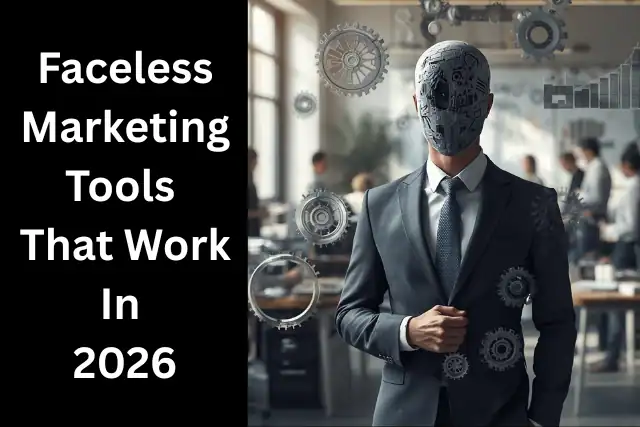
The Tool Problem Nobody Talks About Honestly
Search for faceless marketing tools that work 2026 and you will find one of two things.
Either an overwhelming list of every AI tool that has ever been released — most of which overlap, many of which are unnecessary — or a suspiciously short list of whatever tools the writer has affiliate relationships with.
Neither is particularly useful if you are trying to build a real faceless content business without wasting money on tools you do not need or missing the ones that actually make a difference.
This guide takes a different approach.
It organizes the tools that genuinely matter by function — what each category of tool does, which specific options are worth using at each budget level and what you can realistically skip when you are starting out.
Expensive tools don’t build businesses. Consistency does. Systems do.
And the right faceless marketing tools — even the free ones — give you everything you need to start.
That principle guides every recommendation in this article.
Here are those faceless marketing tools that work 2026.
Key Takeaways
- A complete faceless marketing production stack can be built for between zero and fifty dollars per month using the right combination of free and low-cost tools
- ElevenLabs remains the industry leader for AI voice-over in 2026 — but the free plan prohibits commercial use, making the $5/month paid tier essential for monetized content
- CapCut handles 90% of faceless video editing needs on a free plan — text overlays, transitions, auto-captions and speed ramping without spending anything
- The biggest shift in 2026 is the rise of end-to-end AI video tools that collapse the entire script-to-publish pipeline into one workflow — reducing production time dramatically
- For bloggers and affiliate marketers specifically the most important tool category is not video — it is SEO and content research, which drives the organic traffic that converts to income
- Tutorial content showing actual tool workflows converts at 4.1% versus generic recommendations at 1-2% — using the tools you recommend is the most effective affiliate marketing strategy for faceless creators
This article contains affiliate links throughout, which if clicked and a purchase is made, entitles me to a commission which poses no additional cost to yourself or your purchase. Thank you for your support.
The Complete Faceless Marketing Tool Stack

The tools required for a faceless marketing operation fall into six functional categories.
Understanding what each category does — and which tools in each category are actually worth using — is the foundation of a sensible tool stack.
Category 1: AI WRITING and SCRIPT CREATION
Every piece of faceless content starts with a script or a written structure. This category covers the tools that help you move from idea to written content efficiently.
ChatGPT (Free / $20 per month for Plus) The backbone of most faceless content workflows. Use it for research, outline generation, first draft scripts and content ideation.
The key principle — as covered in the authenticity guide — is that ChatGPT produces the draft and you supply the specific perspective, honest assessment and brand voice that makes it genuinely useful.
ChatGPT generates captions, hooks, and content ideas in seconds. It is not the final product. It is the engine behind everything else.
Jasper AI ($39 per month and above) A more structured AI writing tool suited to bloggers producing high volumes of affiliate content.
Jasper’s templates for product reviews, comparison articles and SEO-focused content are useful for faceless affiliate marketing operations producing content at scale.
More expensive than ChatGPT but more specifically optimized for marketing content formats.
What to skip: Most other AI writing tools in 2026 are essentially ChatGPT wrappers with a premium price tag.
Unless a specific tool has a feature set clearly suited to your workflow, ChatGPT at the free tier handles the vast majority of what a faceless content creator needs.
Category 2: AI VOICE-OVER and AUDIO
For faceless video content, voice-over is the primary human connection mechanism. The quality of the voice narrating your content significantly affects how trustworthy and engaging it feels.
Eleven.Labs ($5 per month minimum for commercial use) remains the industry leader for realistic AI voices.
The voice quality at this price point is genuinely impressive — natural pacing, emotional range and the ability to clone voices or choose from a large library of pre-built options.
The free plan does not allow commercial use, so the $5 per month paid tier is the minimum for monetized content.
Your Own Voice (Free — USB microphone recommended at under $100) adds the most authenticity
If recording is practical and sustainable for you, a decent USB microphone — Rode NT-USB Mini or Blue Yeti are the most commonly recommended options — produces voice-over quality that no AI tool fully replicates.
The investment is a one-time cost rather than an ongoing subscription and the authenticity advantage is real.
Murf AI ($19 per month) A solid alternative to ElevenLabs with strong studio-quality voice options and good control over pacing and tone.
Worth testing if ElevenLabs’ voice library does not contain a voice that fits your brand.
What to skip: Free text-to-speech tools that produce robotic output.
The voice quality in faceless content is a direct trust signal — audio that sounds obviously artificial undermines the credibility the content is trying to build.
Category 3: VIDEO CREATION and EDITING
This is the category with the most options and the most potential for overspending on tools you do not actually need.
CapCut (Free) CapCut handles 90% of faceless editing needs — text overlays, transitions, auto-captions, and speed ramping without spending anything.
For most faceless content creators starting out, CapCut is the only video editing tool they need. It is mobile-first, intuitive and produces content that is indistinguishable from tools costing significantly more.
DaVinci Resolve (Free) The professional-grade alternative for creators who prefer a desktop workflow. Free and genuinely professional quality.
The learning curve is steeper than CapCut but the output capability is significantly deeper for creators producing longer-form content.
Pictory ($19 per month) Pictory excels at repurposing existing content — blog posts and scripts — into complete videos quickly.
For bloggers specifically this is a compelling tool — it turns written content into faceless video content with minimal additional effort, directly enabling the blog-to-video pipeline that multiplies the reach of existing content.
InVideo AI ($20 per month) A streamlined prompt-to-video tool that handles script, visuals and voice-over in one workflow.
Suited to faceless creators who want to produce content quickly without managing separate tools for each production stage.
SuperCool (from $8 per month) The full-pipeline creative AI platform covered in depth in the SuperCool review on this site.
SuperCool takes the blog-to-video concept further — handling concept, production and distribution inside one platform with director-level controls and the Advanced Movie Maker feature for producing cinematic marketing videos from a text brief.
For faceless marketers who want professional quality output without managing a multi-tool stack, SuperCool is the most capable all-in-one option available at this price point.
What to skip: Highly specialized video tools that solve problems you do not yet have.
Start with CapCut or DaVinci Resolve, add Pictory or SuperCool when the blog-to-video workflow becomes a priority, and resist the temptation to build an elaborate production stack before you have established a consistent publishing rhythm.
Category 4: VISUAL DESIGN and GRAPHICS
 Thumbnails, featured images, social graphics and brand assets all require a design tool.
The good news is that the free tier of the leading option covers everything most faceless creators need.
Canva (Free / Pro at $15 per month) Canva creates every visual asset you need.
Thumbnails, social graphics, brand templates, presentation slides, lead magnets — Canva’s template library and drag-and-drop interface handle all of it without design experience.
The free tier is generous enough for most faceless creator needs.
The Pro tier at $15 per month adds background removal, a brand kit and access to premium templates worth upgrading to when the business is generating consistent income.
Stock Footage and Images: Pexels and Unsplash (Free) Pexels and Unsplash supply unlimited professional photos and videos for commercial use at no cost.
For faceless content that relies on stock visuals these two platforms cover the vast majority of what is needed. The caveat — noted in the authenticity guide — is that the most popular clips appear across many faceless channels.
Supplementing with your own B-roll footage where possible adds the uniqueness that stock footage cannot provide.
Story-blocks ($20 per month) For creators producing high-volume video content who need premium stock footage, Story-blocks provides unlimited downloads at a flat monthly rate.
Worth considering once consistent video production is established.
Category 5: SEO and CONTENT RESEARCH
For bloggers and affiliate marketers specifically this is the most important tool category — because organic search traffic is the primary revenue driver for most faceless content businesses.
Yet it is the category most faceless marketing guides spend the least time on.
Google Keyword Planner (Free) The baseline keyword research tool.
Free, directly connected to Google’s search data and sufficient for identifying whether search volume exists for your target topics before committing to writing them.
Google Search Console (Free) Essential for any blogger.
Tracks which queries are driving impressions and clicks to your site, which pages are indexed, and which technical issues need attention.
Submitting new posts to Search Console after publishing accelerates indexing. Non-negotiable for a serious faceless content operation.
Uber-suggest (Free tier available) A more accessible keyword research tool than the professional SEO platforms, with useful competition analysis and content ideas features available at the free tier.
A practical starting point for bloggers who are not yet ready to invest in a premium SEO tool.
RankMath or Yoast SEO (Free WordPress plugins) For WordPress bloggers, one of these two SEO plugins is essential.
They guide on-page optimization for each post — keyword placement, meta descriptions, heading structure, readability — and ensure each post is technically optimized before publication.
Category 6: SCHEDULING and DISTRIBUTION
Content that is not distributed consistently does not build an audience.
Scheduling tools remove the daily decision of when to post and ensure your content reaches its audience reliably.
Later (Free / $17 per month for Starter) Later is a visual scheduling tool that lets you plan your entire week of content in one sitting.
Drag and drop your posts onto a calendar, preview how your feed will look, and hit schedule.
The free plan allows five scheduled posts per platform per month — sufficient for testing. The Starter plan at $17 per month is worth the cost for creators posting consistently across multiple platforms.
Simplified (Free with monthly credits) The all-in-one platform covered in the Simplified review on this site.
Combines AI writing, graphic design and social media scheduling in one dashboard — publishing directly to nine social platforms.
For faceless content creators who want to consolidate their tool stack, Simplified removes the need for separate design and scheduling tools.
The free plan’s monthly credit allowance is sufficient for moderate content volumes.
The Starter Stack: Zero to Under $50 Per Month
Here is a practical starting stack at three budget levels:
Zero Budget Starter Stack
- Writing: ChatGPT free tier
- Voice-over: Your own voice or free text-to-speech (accept the quality limitation initially)
- Video editing: CapCut free
- Design: Canva free
- Stock footage: Pexels and Unsplash
- SEO: Google Keyword Planner, Google Search Console, RankMath free
- Scheduling: Later free (5 posts per month)
Total monthly cost: $0
Under $30 Per Month Stack
- Everything above plus:
- Voiceover: ElevenLabs at $5 per month
- Scheduling: Later Starter at $17 per month
Total monthly cost: approximately $22
Under $50 Per Month Full Stack
- Everything above plus:
- Video: Pictory at $19 per month or SuperCool at $8 per month
- Design: Canva Pro at $15 per month (or keep free)
Total monthly cost: approximately $47
For comparison, personal brand creators typically spend $50-200 per month on lighting, microphones, editing software and camera equipment.
Faceless marketers skip all of that. The financial barrier to entry for a faceless content operation is genuinely minimal.

The Tools and Affiliate Opportunity
One of the most natural affiliate marketing opportunities for a faceless content creator is recommending the exact tools used to produce the content.
Tutorial content showing actual tool workflows converts at 4.1% versus generic recommendations at 1-2%.
When you create a tutorial showing how you use ElevenLabs, CapCut or Simplified in your own workflow — and link to those tools with your affiliate links in the description — you are demonstrating exactly the value the viewer wants to replicate.
That demonstration is more convincing than any review written without firsthand experience.
This is the direct connection between building a faceless content business and your affiliate marketing income strategy.
The tools you use become your most natural affiliate recommendations — because you genuinely use them and can demonstrate exactly how.

FAQ
Q: What is the minimum tool investment needed to start a faceless content business?
A: Zero.
The zero-budget starter stack — ChatGPT free, CapCut free, Canva free, Pexels, Google Search Console, RankMath free — covers every essential function.
The quality ceiling of this stack is lower than paid alternatives but it is sufficient to start, build an audience and generate initial income before reinvesting in upgraded tools.
Q: Is ElevenLabs worth paying for?
A: Yes, for monetized content.
The free plan prohibits commercial use, making the $5 per month paid tier the minimum for any faceless content creator producing content for affiliate income or ad revenue.
The voice quality difference between ElevenLabs and free alternatives is significant enough to affect the perceived professionalism and trustworthiness of your content.
Q: Which video tool is best for turning blog posts into faceless videos?
A: Pictory is specifically designed for this use case and does it efficiently at $19 per month. SuperCool handles the same function with a more comprehensive pipeline — including the Advanced Movie Maker feature — at $8 per month entry point.
For bloggers specifically looking to extend their content reach into video without rebuilding their entire production workflow, either is worth testing.
Q: Do I need all six tool categories from the start?
A: No. Start with writing, one video or design tool and SEO. Add scheduling when your publishing rhythm is established. Add premium voice-over when the content quality investment is justified by early traction.
Build the stack incrementally based on what the business actually needs rather than what looks impressive on paper.
Q: What is the most important tool for a faceless affiliate marketing blogger?
A: Google Search Console and a keyword research tool — because organic search traffic is the primary driver of affiliate income for bloggers.
Every other tool in the stack serves the content creation and distribution process. The SEO tools determine whether that content gets found by the people most likely to convert on your affiliate recommendations.
Q: How do I choose between all-in-one tools and specialist tools?
A: All-in-one tools like Simplified and SuperCool reduce tool switching, simplify billing and lower the total monthly cost for creators who use multiple functions.
Specialist tools like ElevenLabs for voiceover or Pictory for blog-to-video conversion offer deeper capability in their specific function.
Start with all-in-one tools to establish your workflow and switch to specialists only when the all-in-one tool is genuinely limiting your output quality.
Exploring the tools that power faceless and authentic online content? Read the complete honest guide to the strategy behind it: Faceless Marketing in 2026: Legitimate Strategy or Digital Cop Out? And browse the Tools and Resources page for everything recommended and used here.
This article is the 8th and final article in a supporting series headed by the pillar post Faceless Marketing – Pro and Cons 2026 : Legitimate Strategy or Digital Cop Out? For The full range of supporting posts see the list below.
- ✅ Article 1 — The Real Reasons People Choose Faceless Marketing
- ✅ Article 2 — Faceless vs Personal Brand Trust
- ✅ Article 3 — Can You Build a Real Business Without Showing Your Face?
- ✅ Article 4 — The Introvert’s Honest Guide to Online Marketing
- ✅ Article 5 — When Faceless Marketing Actually Makes Sense
- ✅ Article 6 — The Hidden Disadvantages Nobody Talks About
- ✅ Article 7 — How to Go Faceless Without Losing Authenticity
- ✅ Article 8 — Faceless Marketing Tools — What Actually Works
This concludes the Faceless marketing series. I do hope that you got value and that it has cleared up for you a lot of the hype and noise surrounding Faceless marketing.
Our next series takes an in depth look at Affiliate Marketing utilizing YouTube. It promises to be exciting so I look forward to seeing you there.